AI Tools for Content Writing: Honest Picks by Use Case (2026)
By Veldora AI · July 14, 2026 · Updated July 14, 2026

The Best Content Writing AI Tools: Honest Recommendations by Use Case and Writer Type
Most AI writing tool guides are useless. Not because the tools they list are bad — but because every tool on the list is described the same way: “great for content teams,” “perfect for marketers,” “ideal for anyone who creates content.” You finish reading and still have no idea which one to actually open.
This guide works differently. It’s organized by what you actually need to produce — long-form blog posts, SEO content, marketing copy, social media — with direct recommendations, honest limitations, and a decision matrix at the end so you can walk away with a clear starting point.
Full disclosure: Veldora is the client behind this guide. The tool recommendations for other use cases are based on publicly available product capabilities and are not influenced by that relationship.
What You’ll Find Here
- A plain-language explanation of the three tool categories and how they differ from ChatGPT
- A durable evaluation rubric you can apply to any tool, including ones not in this list
- A comparison table covering the best tools by use case — with a Key Limitation column most guides skip
- An honest limitations section: hallucination risk, AI detection, and when not to use these tools
- A real workflow sequence mapping each production stage to a tool category
- A decision matrix telling you exactly which tool to start with for your situation
What Content Writing AI Tools Actually Are (And What They’re Not)
Before comparing tools, it helps to know which category you’re shopping in. Most readers arrive thinking “AI writing tool” is one thing. It isn’t.
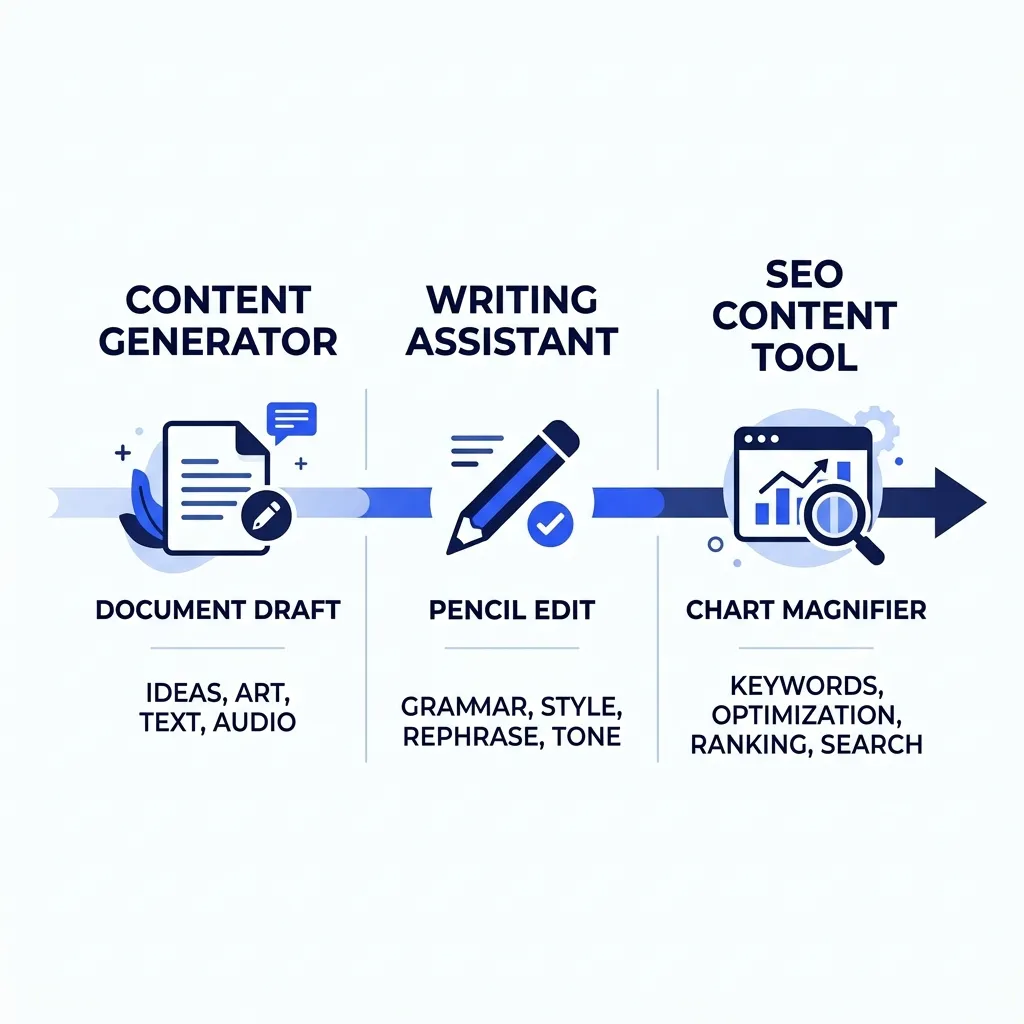
There are three distinct categories:
AI content generators are drafting tools. You give them a topic, a brief, or a prompt, and they produce a full draft. Jasper, Copy.ai, and Claude fall here. They’re built to accelerate writing volume, not to replace the editorial judgment that shapes what gets written.
AI writing assistants focus on editing and refinement — improving clarity, fixing grammar, adjusting tone — rather than generating content from scratch. Grammarly and QuillBot are the clearest examples. They work on text you already have.
AI SEO content tools layer in optimization. They combine content generation or refinement with keyword data, competitor analysis, and content scoring. Surfer SEO and Frase are in this category. They’re built to produce content that ranks, not just content that reads well.
Where does ChatGPT fit? It’s a general-purpose AI chatbot — meaning it can write a blog post, answer a question, generate code, or summarize a document. It can write a blog post, but it wasn’t built to optimize that post for a target keyword or maintain your brand’s editorial voice. That’s what purpose-built content writing tools add: focus, structure, and workflow integration for a specific production goal.
None of these tools produce publish-ready content without human review. That’s not a caveat to mention once and forget — it’s a workflow requirement. More on that in the limitations section.
| Category | What It Does | Primary Use Case |
|---|---|---|
| AI Content Generator | Produces drafts from prompts or briefs | Blog posts, articles, marketing copy |
| AI Writing Assistant | Edits and refines existing text | Grammar, clarity, tone adjustment |
| AI SEO Content Tool | Combines drafting with keyword data and optimization | SEO-targeted articles and landing pages |
How to Evaluate Any Content Writing AI Tool: The Criteria That Actually Matter
The AI writing tool market moves fast. Tools that lead today get leapfrogged next quarter. That means a list of current tools has a shelf life — a good evaluation rubric doesn’t.
Here are the criteria that actually determine whether a tool fits your workflow.
Output quality and hallucination risk. Hallucination is when an AI tool states something false with complete confidence — a wrong statistic, a real-sounding source that doesn’t exist, a product specification that was never accurate. It happens because AI language models predict plausible text, not verified facts. No tool has eliminated this. High-risk content types include anything citing specific statistics, named sources, product specs, or medical and legal claims. Every AI-generated piece needs a fact-check step — not just proofreading.
Tone and brand voice control. Tools vary significantly here. Some accept a style prompt in plain language (“write in a direct, conversational tone”). Others offer structured brand voice profiles where you can define vocabulary preferences, sentence patterns, and editorial rules. The realistic ceiling: AI can match tone patterns reliably; it cannot replicate deep brand expertise without a dedicated training layer. Veldora’s brand voice matching feature is one example of a platform-level approach to this — it goes beyond a single style prompt into a structured voice profile applied at the content level.
Pricing transparency. Free tiers sound generous until you read what they actually include. Look for: monthly word or credit caps, features gated behind paid plans (brand voice profiles, SEO integrations, long-form generation), and whether costs scale with usage in ways the starting price doesn’t communicate. Credit-based models can be cheaper for low-volume users; seat-based models favor teams.
Integration fit. The headline feature matters less than whether the tool connects to your actual stack. CMS plugins, SEO platform connections (Surfer inside the writing editor, Frase pulling SERPs in-tool), and Google Docs export affect daily workflow more than most feature comparisons reveal. Check your existing tools before committing.
AI detection exposure. Google’s official guidance on AI-generated content is clear: the policy targets low-quality and unhelpful content, not AI origin per se. A well-edited, genuinely useful AI-assisted article is not a policy violation. The real detection risk is different — it’s clients, editors, or publishers who run detection tools as a content policy of their own. That’s a relationship and contract question, not an SEO question. If a client requires human-written certification, AI tools with no humanization workflow don’t solve that.
Evaluation Checklist: Apply This to Any Tool Before You Buy
- Does it handle my primary content type — long-form blog, SEO articles, short-form copy, social, or email?
- What does the free tier actually include — word caps, feature gates, time limits, or credit limits?
- Can I control tone and brand voice, or does it default to generic-sounding output?
- How does it handle factual claims — does it cite sources, or does it generate confidently without them?
- Does it integrate with tools I already use — my CMS, SEO platform, or Google Docs?
- Is the pricing structure transparent, or do costs scale unpredictably with usage or seats?
The Best Content Writing AI Tools by Use Case
Every tool below was included because it’s demonstrably better for a specific use case. Where tools compete for the same job, they’re compared directly — not listed in parallel as if the choice doesn’t matter.
| Tool | Best For | Free Tier | Starting Price | Standout Feature | Key Limitation |
|---|---|---|---|---|---|
| Jasper | Marketing copy at team scale | No (5-day trial) | ~$49/month | Structured brand voice profiles | Expensive for solo writers; weaker SEO depth |
| Copy.ai | Short-form marketing copy, solo writers | Yes — limited runs | ~$49/month | Generous free tier for solo use | Thin long-form quality without heavy prompting |
| Claude | Long-form drafts, nuanced tone | Yes — daily usage limit | Free / Pro ~$20/month | Strong reasoning, longer context window | No built-in SEO features; no integrations |
| Surfer SEO | SEO content optimization | No | ~$89/month | Real-time SERP-based content scoring | Writing quality depends on user’s draft input |
| Frase | SEO briefs and research-first drafting | Yes — limited queries | ~$45/month | Brief generation from live SERP data | Interface has a learning curve |
| Grammarly | Editing and clarity refinement | Yes — core grammar features | ~$12/month | Tone detection and clarity rewrites | Not a content generator; limited to editing |
| QuillBot | Paraphrasing and rewriting | Yes — limited paraphrasing | ~$10/month | Fast, natural paraphrasing | Narrow use case; not for original drafts |
| ChatGPT | General-purpose drafting and ideation | Yes — GPT-3.5 | ~$20/month (Plus) | Broad capability, no topic limits | No SEO integration; high hallucination risk on specifics |
Pricing sourced from publicly available plan pages, including Jasper’s pricing page. Verify current pricing before purchasing — these change frequently.
Long-Form Blog and Article Writing
Claude is the clearest recommendation for long-form drafting. Its extended context window means it can hold a full brief, maintain structural coherence across a long article, and adjust tone more reliably than most generators. It’s not a polished writing tool with a fancy interface — it’s a capable model that produces strong first drafts when given clear prompts. Limitation: no SEO layer, no integrations, no keyword data.
ChatGPT is a reasonable starting point for writers who want flexibility and don’t need SEO integration. The free tier is genuinely usable. The limitation is hallucination risk on anything fact-specific — it should never publish without a dedicated fact-check.
SEO Content Optimization
Surfer SEO and Frase both serve this use case. The choice between them is real.
Surfer integrates content scoring directly into a writing editor — you see your keyword coverage in real time as you write. Frase starts earlier in the workflow, pulling SERP data to help you build a research-backed brief before writing begins. For teams that already have a drafting process and want an optimization layer, Surfer fits cleanly. For teams that want research and structure to come from the tool, Frase is the stronger entry point.
For readers whose primary output is SEO content at any volume, look at strategy-backed AI content as a category — tools that tie writing to a live keyword and competitor analysis rather than prompting a model with a topic.
Marketing Copy and Ad Creative
Jasper vs. Copy.ai — this is the most common head-to-head in this category, and they don’t serve the same user equally.
Copy.ai’s free tier is more usable for solo writers — you can generate short-form copy variants without a paid plan. Jasper’s brand voice profiles give teams more consistency at scale. For most solo freelancers, start with Copy.ai. For content teams producing copy across multiple campaigns or brand contexts, Jasper’s structure is worth the cost.
Social Media Content
Copy.ai handles social content reliably in its free tier. Short-form output — captions, hooks, post variations — is where generative tools are most reliable and least prone to hallucination. ChatGPT also works well here and gives more flexibility on platform tone. Neither requires a paid plan to get genuine utility.
Email Writing
Claude and Copy.ai are both solid. Claude handles longer email sequences and maintains a more consistent tone across multi-email flows. Copy.ai has specific email templates that reduce the prompting burden for writers less comfortable giving detailed instructions. For basic cold outreach or newsletter drafts, either works. For complex nurture sequences with consistent voice, Claude is the stronger choice.
The Honest Limitations of Content Writing AI: What These Tools Can’t Do
Every tool review that skips this section is protecting something — an affiliate relationship, a brand partnership, or just a desire to stay positive. This one isn’t.
Hallucination Risk
AI language models work by predicting plausible-sounding text based on patterns in training data. They don’t verify facts before generating them. Research on AI hallucination from Stanford HAI confirms this is a structural property of how these models work — not a bug a specific tool has fixed.
The highest-risk content types: statistics and data points, named sources and quotes, product specifications, and any medical, legal, or financial claims. A reasonable fact-check workflow looks like this: after generating any draft, isolate every factual claim that could be verified, search each one independently, and replace or remove anything you can’t confirm. This is not optional polish — it’s a mandatory production step.
AI Detection and SEO
Google’s published guidance does not penalize content based on AI origin. The policy targets low-quality, unhelpful, or spam content — regardless of how it was produced. A well-edited, genuinely useful article that was drafted with AI assistance is not a policy violation.
The detection risk that actually matters is different: clients, editors, academic institutions, or publishers who run AI detection tools as part of their own content policies. That’s a contractual and relationship issue — not an algorithmic one. If a client requires disclosure or human-only writing, no amount of AI-humanization workflow resolves it. Be honest with clients about your process.
Quality Ceilings
AI tools produce fluent, structured text reliably. That’s genuinely useful. What they don’t produce reliably: original arguments grounded in niche domain expertise, analysis built from primary research, content that reflects lived professional experience, and writing that takes a genuine editorial position rather than aggregating what’s already been said.
The content types where human writing still produces materially better output: highly technical expert content in fields like medicine, law, and engineering; investigative and data journalism; opinion and thought leadership where the specific author’s perspective is the product; and content requiring original primary research or interviews.
When Not to Use AI Writing Tools
- High-stakes factual content — medical, legal, or financial — without expert review
- Content requiring original primary research, interviews, or first-person reporting
- Contexts where a client, publisher, or institution prohibits AI-generated content and detection is a real consequence
- Brand content where the specific author’s voice and lived experience is the audience’s reason for reading
AI Content Writing: Pros and Cons
| Pros | Cons |
|---|---|
| Dramatically faster first drafts for most content types | Hallucination risk requires a mandatory fact-check step |
| Consistent structure and formatting at scale | Cannot replicate domain expertise or original analysis |
| Useful free tiers for testing before committing | Quality ceiling is real for complex or high-stakes content |
| Strong at pattern-based content: social, email, product descriptions | AI detection by clients or publishers is a real workflow consideration |
| Reduces blank-page friction for non-writers | Brand voice requires active management, not just a style prompt |
How to Use Content Writing AI in a Real Workflow
The biggest workflow mistake is picking one AI tool and expecting it to handle everything from research to publication. Most strong content workflows combine two or three specialized tools, with human judgment at the stages that matter most.
Here’s a realistic blog production workflow for an in-house team: use Frase or Surfer for research and keyword structure, use Claude or Jasper for a first draft, use Grammarly for line-level editing, then publish. That’s three tools, each doing one thing well.
-
Research — Use an SEO tool (Frase, Surfer SEO, or a dedicated keyword research platform) to identify the target keyword, search intent, and what competitors are covering. This stage requires human judgment on which angle to pursue.
-
Outline — Use an AI generator (Claude, ChatGPT, or Frase’s brief builder) to produce a structural outline. Review it against the research output before moving forward — AI outlines often reflect the most common SERP structure, not the best structure for your angle.
-
Draft — Use a generative AI tool matched to your content type: Claude or ChatGPT for long-form articles, Jasper for copy-heavy content, Copy.ai for short-form. Give the model a detailed brief, not just a topic.
-
Optimize — Run the draft through an SEO-specific tool (Surfer or Frase) for keyword coverage, semantic depth, and length guidance. This is the stage where the draft becomes a competitive article, not just readable text.
-
Review and QA — Apply Grammarly or equivalent for line editing. More importantly: fact-check every verifiable claim independently. This stage is non-negotiable regardless of which tools produced the draft.
-
Publish — Export to your CMS. If long-term SEO performance is the goal, think beyond this single piece — how this article connects to a broader content strategy is what drives compounding SEO results over time.
For readers who want the full sequence handled — research, strategy, writing, and QA — in a single managed pipeline rather than stitched-together point tools, that’s a different category. Veldora runs exactly that workflow, automatically. More on that in the next section.
Which Content Writing AI Tool Should You Start With?
Here’s the direct answer that most guides avoid giving.
Decision Matrix: Match Your Situation to the Right Tool
| Your Situation | Recommended Starting Tool | Why |
|---|---|---|
| Solo freelancer, limited budget | Copy.ai or Claude (free tier) | Usable free tiers, no commitment; Copy.ai for copy, Claude for long-form |
| In-house content team needing scale | Jasper + Surfer SEO | Brand voice profiles for consistency; Surfer for SEO optimization at volume |
| SEO content as primary output | Veldora or Frase + Surfer | SEO-first workflow; Veldora if you want the full pipeline managed |
| Short-form and social content focus | Copy.ai | Free tier covers most short-form needs; low learning curve |
| Agency needing managed or white-label output | Veldora | Managed pipeline with brand voice matching and QA; built for agency-scale delivery |
If SEO Performance Is Your Primary Goal
If the reason you’re looking at AI writing tools is SEO — you need content that ranks, at volume, without assembling a stack of six tools and hoping they integrate — Veldora is the recommendation here, and it’s a different category from everything else in this guide.
Veldora is not an AI writing assistant. It runs a complete SEO content pipeline — keyword research, competitor analysis, content strategy, writing, and multi-step QA — automatically, built on 12 years of SEO agency experience. The output is brand-matched and reviewed before delivery. That’s not what Jasper does. It’s not what ChatGPT does. It’s a managed pipeline, not a prompt interface.
The free demo produces real strategy and real content — not a template preview. You can read what would actually be published for your topic before spending anything.
Generate a real, strategy-backed post on the free demo and read it yourself — before you spend a dollar. No credit card. No contracts. Just proof.
See Your Strategy and Your First Content — Free
Frequently Asked Questions
Is AI-generated content penalized by Google?
No — not on the basis of AI origin alone. Google’s official guidance states that the policy targets low-quality, unhelpful, or spammy content regardless of how it was produced. A well-edited, genuinely useful AI-assisted article is not a policy violation. The real risk is from clients or publishers who run their own detection tools as a content policy.
What is the difference between an AI writer and an AI writing assistant?
An AI writer (like Claude, Jasper, or ChatGPT) generates content from a prompt or brief. An AI writing assistant (like Grammarly or QuillBot) improves or refines text you’ve already written. They serve different stages of the writing process and work best in combination.
Can AI content writing tools match my brand voice?
Yes, with meaningful limits. Most tools accept a style prompt that shapes tone and vocabulary. More advanced tools offer structured brand voice profiles. The realistic ceiling: AI matches tone patterns reliably; it cannot replicate deep brand expertise or a specific author’s perspective without a dedicated training layer. Veldora’s brand voice feature takes a structured approach — worth reviewing if voice consistency at scale is a requirement.
How do I know if an AI writing tool is producing accurate information?
You don’t — not without checking. AI tools hallucinate: they generate plausible-sounding text that can be factually wrong. This is a structural property of how language models work, not a flaw unique to any single tool. Every AI-generated draft requires a fact-check step. Isolate every verifiable claim, search independently, and replace anything you can’t confirm before publishing.
Which AI content writing tools have genuinely useful free tiers?
Copy.ai and Claude offer the most usable free tiers for real work. Copy.ai’s free tier covers most short-form copy needs. Claude’s free tier supports long-form drafting with a daily usage limit. Grammarly’s free tier covers core grammar editing. Frase offers limited free queries for brief research. Jasper and Surfer SEO do not have meaningful free tiers — both require a paid plan for real workflow use.
How many AI writing tools do I actually need?
For most workflows, two to three is the practical number: one for drafting, one for SEO optimization, one for editing. Adding more tools rarely adds proportional value and increases the coordination cost. If you want a single managed solution rather than a stack, a pipeline tool like Veldora consolidates the sequence — but it serves a specific use case, not every content type.
← Back to all posts