AI Tools for Content Writing: Tested by Use Case (2026 Guide)
By Veldora AI · July 20, 2026 · Updated July 20, 2026
AI Tools for Content Writing: Matched to Your Use Case, Tested for Real Output
Most roundups covering AI writing tools have a structural problem: they list ten to fifteen tools, assign each one a score, declare a winner, and move on. The methodology is invisible. The output evidence is nonexistent. And the recommendations are identical across every article you find on page one.
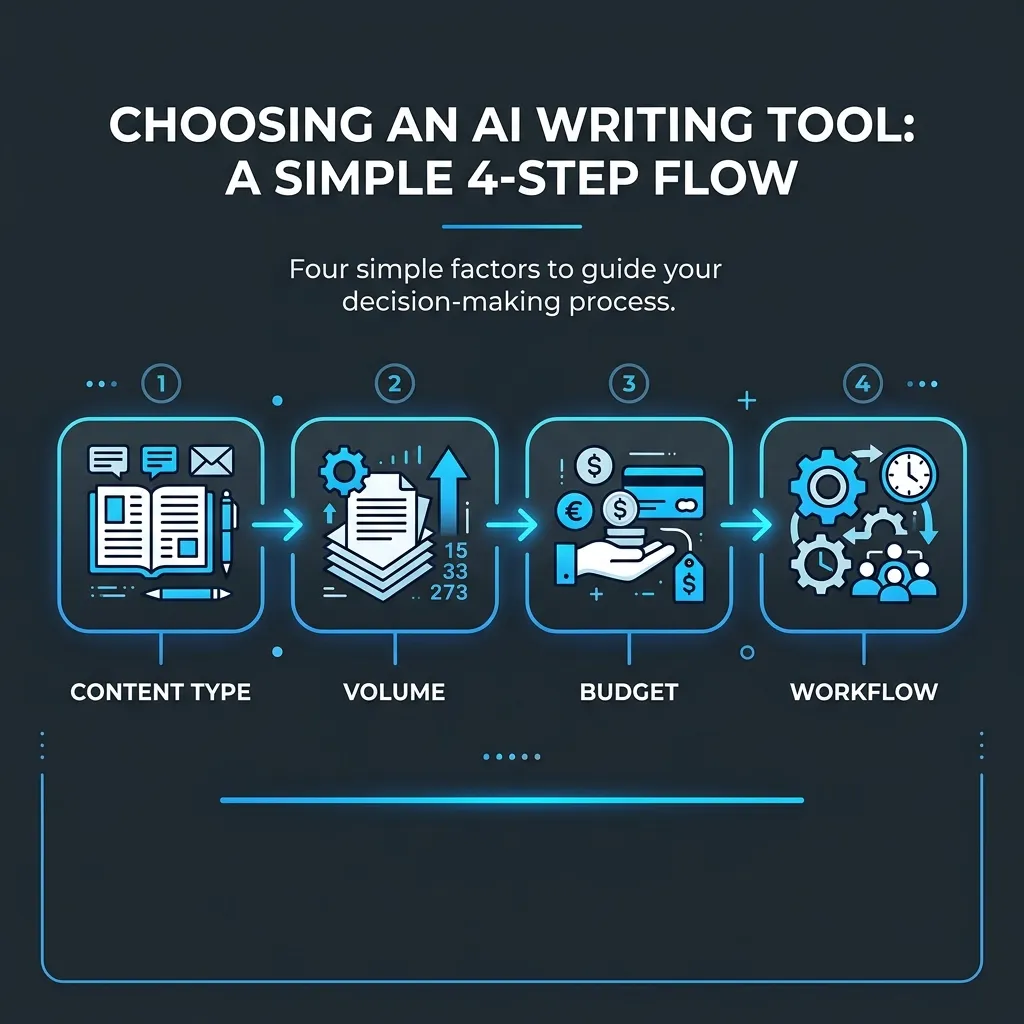
If you have already used ChatGPT or tried a paid tool and walked away unsure whether you picked the right one, that is not a you problem. It is a framing problem. The right AI writing tool is not universal — it depends on your content type, your publishing volume, your budget, and whether you need to operate the tool yourself or want the work handled end-to-end.
This guide covers eight tools with enough depth to be useful. Every review includes an honest look at output quality (based on the same test prompt run across tools), a clear best-for and skip-if label, and at least one uncomfortable truth per tool. If you want the short version, the comparison table below is the fastest path to a decision. If you want the full picture, the per-tool reviews and decision matrix will get you there.
Key Takeaways
- There is no universally best AI writing tool. Content type, publishing volume, budget, and workflow integration are the variables that determine the right fit — a ranked list that ignores these is not a decision framework.
- This article does two things most roundups skip: it describes observable output quality across tools using the same prompt, and it provides a decision matrix organized by user profile rather than an arbitrary score.
- Free tools — specifically ChatGPT and Claude — are genuinely capable for many content use cases. Paid tools earn their cost only in specific scenarios, which this guide names explicitly.
- If you are publishing AI-generated content, the AI detection and SEO risk section is required reading. Skipping it and publishing raw output is the fastest way to undermine whatever SEO progress you have made.
Quick-Reference Comparison: AI Writing Tools at a Glance
Each tool below was evaluated against the same long-form blog post prompt — a 600-word intro section on a specific B2B topic — plus secondary prompts for short-form copy and email. The verdict column reflects an observable tradeoff, not a composite score. Pricing reflects publicly listed plans at time of writing and is subject to change.
If you want to skip the full reviews and go straight to a recommendation for your situation, jump to the decision matrix in the How to Choose section below.
| Tool | Best For | Free Plan | Starting Price | One-Line Verdict |
|---|---|---|---|---|
| ChatGPT (GPT-4o) | Flexible drafting across formats | Yes (limited) | ~$20/mo (Plus) | Fast, structurally sound drafts — but generic transitions and surface-level claims without specific prompting |
| Claude (Anthropic) | Long-form drafts with natural prose flow | Yes (limited) | ~$20/mo (Pro) | The most naturally readable raw output of any tested tool — holds tone well, but no SEO-native structure |
| Jasper AI | High-volume short-form marketing copy | No | ~$49/mo | Earns its price for ad copy and email at volume — long-form blog output requires significant editing |
| Writesonic | SEO articles with built-in SERP data | Limited | ~$16/mo | Useful for SEO briefs but output can feel templated; stronger on structure than on original insight |
| Copy.ai | Marketing teams running automated workflows | Limited | ~$49/mo | Workflow automation is its real value — individual writing quality is not better than free alternatives |
| Surfer SEO (AI) | SEO teams optimizing content to a brief | No (AI add-on) | ~$89/mo | Best-in-class for on-page optimization signals — not a standalone writing tool; needs a writer or another AI |
| Rytr | Solo creators on a tight budget | Yes (generous) | ~$9/mo | Surprisingly capable for short-form on a budget; ceiling is low for long-form or SEO-structured content |
| Grammarly (AI features) | Editing and rewriting existing drafts | Yes (limited) | ~$30/mo | A better editing layer than a writing tool — use it after drafting, not as a primary content generator |
Top AI Writing Tools Reviewed: Honest Evaluations by Use Case
ChatGPT (OpenAI)
ChatGPT remains the most versatile tool in this category — not because it produces the best output by default, but because it responds well to specific prompting and handles the widest range of content formats without switching tools. On the standard test prompt (a structured blog intro for a B2B audience with a defined tone), GPT-4o produced a usable draft in under thirty seconds. The structure was sound. The transitions were generic. The opening hook defaulted to a rhetorical question that could apply to fifty different topics.
That last point matters more than it sounds. GPT-4o is optimized for fluency, not specificity. Without a detailed prompt, it fills in gaps with plausible-sounding generalities. With a detailed prompt, the output quality improves substantially — which is why the prompt engineering section of this article is not optional.
Best for: Writers who understand prompting and need a flexible tool across blog, email, social, and research use cases. Skip this if: You want near-publish-ready drafts without heavy editing, or if you need a tool that retains brand voice context across sessions without constant re-prompting. Free plan: Available, limited to GPT-4o with usage caps. GPT-4 was previously on the free tier; the current free tier defaults to a less capable model under high demand. Workflow: Works via browser or API. No native CMS integration without third-party connectors.
Pros:
- Handles the widest range of content formats of any tested tool
- Responds strongly to structured, specific prompts
- Free tier is genuinely useful for moderate use
- Fast iteration — follow-up prompts refine output quickly
Cons:
- Default output defaults to generic framing and transitions without specific prompting
- No memory or project context across sessions on the standard plan
- Long-form output can drift in tone across sections without a guiding structure prompt
- Produces confident-sounding text that sometimes contains unverifiable or subtly incorrect claims
Claude (Anthropic)
Of all the tools tested, Claude produced the most naturally readable raw output on the long-form blog prompt. The prose rhythm varied. The transitions were earned rather than formulaic. The opening paragraphs showed something resembling a point of view rather than a content template.
That matters for writers who need output that does not require a full rewrite before it sounds human. It does not matter if you need SEO structure — Claude has no awareness of search intent, keyword placement, or on-page optimization. What comes out reads well; what it is structured around may not match what Google expects to see on a given query.
Best for: Writers who care more about prose quality than SEO mechanics, or who plan to layer SEO editing on top of a solid draft. Skip this if: SEO content structure is your primary need — Claude will not give you an H2 hierarchy that matches search intent without very specific prompting. Free plan: Available with daily usage limits that are workable for occasional drafting. Workflow: Browser-based. Projects feature allows some context retention — the most useful memory feature of any free tool tested.
Pros:
- Best natural prose quality of any tested tool on long-form drafts
- Projects feature retains context and reduces re-prompting on recurring content
- Handles nuanced tone instructions better than most competitors
- Genuinely useful free tier for moderate content volume
Cons:
- No SEO-native structuring or search intent awareness
- Output quality on short-form and marketing copy is less differentiated
- Can be excessively cautious on certain topics, adding caveats that weaken the editorial voice
- Context window limits can affect coherence on very long documents
Jasper AI
Jasper built its reputation on short-form marketing copy — ad headlines, email subject lines, product descriptions — and that is still where it performs best. The Brand Voice feature, which stores tone and style guidelines, works. On the short-form prompt test, Jasper produced tighter, more on-brief variation options than any other paid tool.
On the long-form blog prompt, the output was structurally predictable. It produced a five-paragraph intro that hit the required points but leaned heavily on the kind of phrasing that triggers every AI content detector on the market. Heavy editing required. For brand voice customization in AI content, Jasper’s built-in voice profiles are a real feature — but they are most effective on short-form output where the patterns stay tighter.
Best for: Marketing teams producing high-volume short-form copy — email sequences, ad variations, product descriptions — where the Brand Voice feature justifies the subscription. Skip this if: Long-form blog content is your primary use case. Free alternatives produce comparable long-form output at zero cost. Free plan: No free tier. Seven-day trial available. Workflow: Native integrations with Google Docs, Chrome extension, and a standalone editor. One of the better workflow integration setups in this category. Pricing: See Jasper’s current pricing tiers — plans have changed frequently and the value case depends heavily on current team pricing.
Pros:
- Brand Voice feature genuinely works for short-form copy consistency
- Best workflow integrations of any paid tool tested
- Strong for high-volume email and ad copy variations
- Template library covers the most common marketing copy formats
Cons:
- Long-form output is patterned and often requires significant editing
- Starting price is hard to justify unless short-form volume is high
- No free plan to evaluate before committing
- AI detection flagging on raw long-form output is a consistent issue
Writesonic
Writesonic positions itself as an SEO writing tool, and on that front it delivers more than most general-purpose tools. The Chatsonic feature pulls real-time web data, which helps for content requiring current statistics or news references. The SEO article templates produce output with a recognizable keyword-aware structure.
The output quality limitation is original insight. Writesonic produces well-structured content that hits the expected outline points — but the phrasing inside each section has a templated quality that SEO editors will need to work through. The structure is sound; the substance often needs reinforcing.
Best for: SEO content teams that need a structured starting point and plan to edit the output significantly before publishing. Skip this if: You want prose that reads like a subject-matter expert wrote it. Writesonic produces outlines with flesh; it does not produce expert voice. Free plan: Limited trial credits. Not a sustainable free tier for regular content production. Workflow: Standalone editor with some CMS export options. Less seamless than Jasper for team environments.
Pros:
- Real-time web data access reduces factual lag on current topics
- SEO article templates produce structurally consistent output
- Decent range of content formats in one platform
- More affordable than Jasper at entry level
Cons:
- Output has a templated, fill-in-the-blanks quality on longer content
- Expert voice and original insight require significant human addition
- Free plan is not practical for regular production use
- AI detection flagging is common on raw output
Copy.ai
Copy.ai has shifted its product positioning toward workflow automation rather than individual content creation — and that shift is accurate to what the product does best. The GTM workflows and automated content pipelines are built for marketing operations teams, not individual writers.
For an individual content writer evaluating tools, Copy.ai’s raw writing output is not better than ChatGPT or Claude — both of which are free. The value is in the workflow layer, which is a legitimate differentiator for the right team. If you are a solo blogger evaluating your first AI writing tool, this is not your starting point.
Best for: Marketing operations teams running multi-step automated content workflows across channels. Skip this if: You are an individual writer. Free alternatives produce equivalent or better output for individual use cases. Free plan: Limited trial. Not a meaningful evaluation tier. Workflow: Strong automation and multi-step workflow features. Built for team environments.
Pros:
- Workflow automation is the strongest in this category for marketing ops
- Useful for teams with multi-channel content needs
- Broad template coverage
Cons:
- Individual writing quality does not justify the price over free alternatives
- Not built for individual writers or small publishing operations
- Pricing tiers designed for teams, not solo users
Surfer SEO (AI Writing)
Surfer is an on-page SEO optimization tool first. The AI writing feature is a layer on top of the core content editor, which scores your content against competitor benchmarks for keyword usage, heading structure, and NLP terms. That scoring layer is where Surfer earns its place in an SEO workflow.
The writing output itself is not the product. Surfer works best as an optimization environment where you bring content from another tool — or a human writer — and edit it to the brief Surfer defines. Using it as a primary writing tool is possible but not the right use.
Best for: SEO content teams that optimize content against competitor data and need a structured brief to write or edit to. Skip this if: You need a standalone writing tool. Surfer without a separate writer or AI writing layer is an expensive brief generator. Free plan: No. The AI writing add-on is priced on top of the base Surfer subscription. Workflow: Standalone editor with Google Docs integration. Best integrated into a team SEO content workflow.
Pros:
- Best-in-class for competitor-informed on-page optimization
- Content briefs are genuinely useful for guiding writers and AI tools
- NLP term coverage and keyword density feedback is specific and actionable
Cons:
- Expensive relative to standalone writing tools
- AI writing output quality is not differentiated from cheaper alternatives
- Requires a separate writing tool or writer to get full value
Rytr
Rytr is the most useful budget option in this category, and it deserves more honest coverage than it typically gets. The free plan is genuinely usable — not a forced upgrade funnel. For short-form content (social captions, email subject lines, short product descriptions), the output quality is comparable to tools costing five times as much.
The ceiling is real. Long-form blog content on Rytr runs out of range quickly — the output becomes formulaic and thin past the 400-word mark, and SEO structure requires heavy manual work. For a solo blogger primarily producing short-form content or drafts they plan to rewrite significantly, Rytr is a legitimate tool.
Best for: Solo creators or small businesses needing short-form copy assistance on a budget. Skip this if: Long-form blog content or SEO articles are your primary use case. Free plan: Yes — one of the most usable free tiers in this category. Workflow: Standalone browser editor. No CMS or Google Docs integration.
Pros:
- Most usable free tier in this comparison
- Effective for short-form and medium-length copy
- Low learning curve
- Affordable paid upgrade for moderate volume
Cons:
- Long-form output quality drops sharply above 400 words
- No SEO structure awareness
- Limited workflow integration options
- Not suitable for teams or multi-project environments
Grammarly (AI Features)
Grammarly is not primarily a content generation tool — it is an editing and rewriting layer, and that distinction matters for how you use it. The AI suggestions for tone adjustment, clarity rewrites, and sentence restructuring are genuinely useful when applied to drafts produced by other tools. Using Grammarly as your primary AI writing tool is the wrong application.
If your workflow involves generating a first draft in ChatGPT or Claude and then editing for clarity and brand voice, Grammarly’s AI layer adds real value at the editing stage. It does not belong in a comparison with primary writing tools — it belongs in a post-drafting workflow.
Best for: Editing and refining AI-generated or human drafts — not primary content generation. Skip this if: You need to generate content from scratch. Grammarly is an editing layer, not a writing engine. Free plan: Available with limited AI suggestions. Workflow: Browser extension, Google Docs integration, Microsoft Word integration. Best workflow coverage of any tool in this list.
Pros:
- Best editing and rewriting layer of any tool tested
- Excellent workflow integrations across writing environments
- Useful for brand voice consistency on existing drafts
- Free plan covers basic editing needs
Cons:
- Not a standalone content creation tool
- AI generation features are secondary to the editing function
- Paid plan is expensive if you only need basic grammar and style feedback
Getting Better Output: Prompt Engineering for Content Writers
The tool you use matters less than how you prompt it. A vague prompt produces vague output from any tool — including expensive ones. This is not a minor optimization point; it is the primary variable controlling output quality.
Here is a direct illustration of the gap:
Weak prompt: Write a blog post about email marketing.
Result: A generic 600-word overview covering the definition of email marketing, why it matters, and a list of best practices. Structurally complete. Substantively empty. Identical to five thousand other articles on the same query.
Strong prompt: You are an email marketing strategist writing for e-commerce founders who manage their own email lists. Write an 800-word blog post intro that opens with a specific conversion rate benchmark, explains why most abandoned cart sequences underperform, and ends with a transition to a three-step fix. Tone: direct, no fluff, no motivational language.
Result: An opening that cites a specific number, frames a concrete problem, and sets up an actionable resolution. Still needs editing — but the editing is refinement, not reconstruction.
The structural difference is specificity across four dimensions: role framing, audience definition, output format, and tone instruction. Include all four and the output changes substantially.
Prompt Templates by Content Format
-
Long-form blog post Role: You are a [subject-matter expert role] writing for [specific audience description]. Task: Write a [length]-word [section or full post] that opens with [specific hook type — statistic, anecdote, counterintuitive claim], covers [named subtopics in order], and closes with [transition or CTA type]. Tone: [Three specific tone adjectives]. Avoid [specific phrases or styles to exclude]. Format: Use H2 subheadings. Keep paragraphs to three sentences or fewer.
-
SEO article Role: You are an SEO content writer optimizing for the query [exact query]. Task: Write a [length]-word article section covering [specific subtopic]. The content should answer [specific reader question] directly in the first paragraph. Include [named entities or sources] where relevant. Tone: Authoritative but readable. No padding phrases. Format: One H2, two to three H3s, no bullet-heavy lists — prioritize paragraph explanation.
-
Marketing email Role: You are a direct-response copywriter writing for [brand description and audience]. Task: Write a [word count]-word email with subject line options. The email should open with [specific problem or situation], offer [specific value or proof point] in the body, and close with a single CTA: [describe the action]. Tone: [Tone description]. No urgency language, no exclamation points. Format: Short paragraphs. Three to four sentences maximum per block.
-
Social media caption Role: You are a content writer for [brand type] with a [tone] voice. Task: Write three caption variations for a [platform] post about [topic]. Each variation should open differently — question, statement, and statistic. Include one natural CTA per caption. Format: Under [character count] per caption. No hashtag recommendations unless requested.
Iteration matters as much as the initial prompt. The first draft is a starting point. A follow-up prompt — Make the opening more specific to the audience. Replace the third paragraph with a counterintuitive observation rather than a summary — will outperform starting over from scratch. Treat the tool as a collaborator responding to direction, not a machine that either succeeds or fails on the first attempt.
AI Detection, Content Quality, and SEO Risk: What You Actually Need to Know
Google’s position on AI-generated content is not ambiguous. Google’s official guidance on AI-generated content states clearly that the search quality systems reward content that demonstrates experience, expertise, authoritativeness, and trustworthiness — regardless of how that content was produced. The question Google’s algorithms ask is not was this written by AI? It is does this content genuinely help the person who searched for it?
That distinction matters practically. AI content does not carry an inherent ranking penalty. Thin, generic, low-effort content does — whether a human or an AI wrote it.
What AI Detection Tools Actually Measure
AI detection tools — Originality.ai and the research behind its detection methodology being the most documented — work by measuring statistical patterns in text: perplexity (how predictable the word choices are) and burstiness (whether sentence length varies the way human writing does). Raw AI output scores low on both: it chooses statistically probable words and produces sentences of consistent length.
This means raw output from any tested tool will register as likely AI-generated by most detectors. It also means editing changes that result. Specific details, first-person perspective, sentence rhythm variation, and original examples all shift the statistical profile toward human-written patterns — not because they trick a detector, but because they actually improve the content.
Which Output Reads Most AI-Generated
The types of output most reliably flagged by detection tools share observable characteristics: surface-level summaries without named specifics, transition phrases that add no meaning (“In today’s fast-paced world…”), lists of generic points without evidence, and conclusions that restate the intro. These patterns appear in raw output from every tool tested — some more than others.
Editing interventions that reduce this reliably: adding a specific data point or named example in the first paragraph, replacing summary transitions with observations, cutting any sentence whose removal would not be noticed, and adding one genuinely held opinion with a reason.
When AI Output Is Ready to Publish
Raw AI output is not ready to publish. That is not a hedge — it is the practical reality of every tool in this comparison. The question is how much editing a given piece needs, and that depends on the tool, the prompt quality, and the content type. Short-form copy from a well-prompted Jasper or ChatGPT session needs light editing. A long-form SEO article from any tool needs a substantive editing pass before it earns its place on a site that cares about SEO content that builds value over time.
Before You Publish AI-Generated Content
- Read the full draft aloud — does it sound like you, or does it sound like a template?
- Check for hallucinated facts, statistics, or citations — verify every specific claim against a named source
- Run the draft through at least one AI detection tool and note which sections flag highest
- Confirm all claims have a named, verifiable source — remove or rewrite any that do not
- Add at least one original example, data point, or opinion not present in the AI output
- Verify the piece answers the actual search intent — not a generic topic overview
- Edit for brand voice before publishing — adjust sentence rhythm, vocabulary, and point of view to match your established voice
How to Choose the Right AI Writing Tool for Your Situation
The eight tools reviewed above do not serve the same problems. A solo blogger publishing twice a month has different constraints than an SEO content team publishing twice a week. A marketing copywriter living in ad headlines has different needs than an agency managing fifteen client voices. Choosing the right tool starts with naming your actual situation.
For teams building a serious SEO content operation, strategy-backed AI content built on keyword and competitor data addresses a different level of need than any standalone writing tool — more on that in the matrix below.
Decision Matrix: Match Your Situation to the Right Tool
| Your Situation | Recommended Tool | Why |
|---|---|---|
| Solo blogger on a budget, publishing occasionally | Rytr (free) or ChatGPT (free) | Both free tiers are sufficient for occasional drafting; ChatGPT scales better as volume increases |
| Solo blogger serious about SEO, publishing weekly | Claude + Surfer SEO | Claude produces the best natural drafts; Surfer adds the SEO structure layer for keyword-aware editing |
| SEO content team publishing at volume | ChatGPT or Writesonic + Surfer SEO | Structured prompting at scale with SEO optimization in the editing layer; Writesonic’s briefs speed up structured first drafts |
| Marketing copywriter focused on short-form | Jasper AI | Brand Voice feature and short-form template coverage justify the subscription at volume; not worth it for occasional use |
| Agency managing multiple client voices | Jasper AI or Claude with project-level context | Jasper for volume; Claude Projects for voice fidelity on fewer, higher-stakes accounts |
| Writer who needs editing support on existing drafts | Grammarly AI | Use it after drafting, not for generation — the editing layer is the product |
| Business owner who wants fully managed SEO content | Veldora | Not a writing tool you operate — a managed SEO content pipeline that handles strategy, writing, QA, and reporting end-to-end |
A Note on Veldora
Veldora does not belong in the tool comparison table above — because it is not the same category of product. The tools reviewed in this article are writing assistants: you operate them, prompt them, edit the output, and publish the result. Veldora is an automated managed SEO content service. It runs keyword research, competitor analysis, brand-matched writing, and multi-step QA — then delivers content ready to review before you spend anything.
The right question for Veldora is not which tool should I use — it is what if I want this handled end-to-end, built on 12 years of SEO agency experience, without installing or operating anything myself? If that is your situation, the answer is not on the tool list above.
Generate a real, strategy-backed post on the free demo and read it yourself — before you spend a dollar. No credit card. No contracts. Just proof. See your strategy before you pay.
Budget-Tier Guide
- Best free option: ChatGPT (broadest format coverage) or Claude (best prose quality)
- Best under $20/month: Rytr paid or Writesonic entry tier for SEO article structure
- Best for teams or agencies: Jasper or Surfer SEO, depending on whether the primary need is copy volume or SEO optimization
Tools to Use With Caution (And What to Use Instead)
Naming what to avoid is as useful as naming what to use. A guide that only recommends is a sales deck.
| Tool | Specific Issue | Better Alternative | When the Alternative Wins |
|---|---|---|---|
| Copy.ai (for individuals) | Workflow automation pricing for a product that does not outwrite free tools on individual tasks | ChatGPT or Claude (free) | Any individual content creation task where you do not need multi-step automation |
| Any tool claiming undetectable AI output | No tool produces inherently undetectable content — claims without transparent methodology are a buyer’s signal, not a feature | Invest in editing instead | Always — detection risk is reduced by editing quality, not tool selection |
| Writesonic (as a primary long-form tool) | Templated output that requires heavy substance editing before it reflects genuine expertise | Claude for drafting, Surfer for optimization | When prose quality or subject-matter depth matters more than structural scaffolding |
One pattern worth flagging across the category: any tool marketing itself as producing SEO-optimized or undetectable content without a named methodology for either claim is making unverifiable promises. Optimization against what benchmark? Undetectable by which tool, at what threshold, after how much editing? These are the questions to ask before paying for a subscription based on those claims.
Frequently Asked Questions
What is the best free AI tool for writing blog posts?
ChatGPT and Claude are the strongest free options for blog writing. ChatGPT handles a wider range of formats and responds well to structured prompts. Claude produces more naturally readable long-form prose with less editing required. Both have usage limits on free tiers — Claude’s Projects feature makes it more useful for recurring content work without a paid plan.
Can Google detect AI-written content and will it hurt my rankings?
Google’s stated guidance focuses on content quality and helpfulness — not the method of production. AI content does not carry an inherent penalty. Thin, generic content does — whether written by a human or generated by a tool. The practical implication: raw AI output that lacks original insight, specific evidence, or editorial voice is a ranking risk because of its quality, not its origin.
What is the difference between ChatGPT and specialized AI writing tools like Jasper or Writesonic?
ChatGPT is a general-purpose language model. Jasper and Writesonic are applications built on top of similar underlying models, with added layers: brand voice storage, content templates, SEO brief integration, and workflow features. For individual content tasks, the output quality difference is often smaller than the price difference. The specialized tools earn their cost in volume, workflow integration, and team features — not in raw output superiority.
How do I make AI-generated content sound like my own voice?
The most reliable method is a detailed prompt that includes tone adjectives, phrases to avoid, audience definition, and a writing style example. Claude’s Projects feature and Jasper’s Brand Voice both store this context to reduce re-prompting. After generation, editing for sentence rhythm, vocabulary, and point of view does more to match voice than any tool feature. The brand voice customization problem is fundamentally an editing and prompting problem — tools can assist, but they do not solve it automatically.
Is it worth paying for an AI writing tool when free options exist?
For individual content writers using one tool for one format type: often no. ChatGPT and Claude free tiers cover most individual drafting needs. Paid tools earn their cost for high-volume short-form copy (Jasper), SEO content optimization (Surfer SEO), or team workflow automation (Copy.ai) — scenarios where the volume, integration, or workflow features create measurable value over free alternatives.
Which AI writing tool is best for SEO content specifically?
No single tool handles the full SEO content workflow well on its own. The practical answer is a combination: Claude or ChatGPT for drafting with structured prompts, Surfer SEO for optimization against competitor data, and a serious editing pass before publishing. Tools that claim to handle SEO end-to-end in one click are describing a brief, not a strategy.
How do I know if AI-generated content will be flagged by detection tools?
Raw output from every tested tool will register as likely AI-generated on tools like Originality.ai. The statistical patterns — predictable word choice, consistent sentence length, generic transitions — are present in all of them. Editing that adds specific data, original examples, first-person perspective, and sentence rhythm variation changes the profile. The goal should not be to pass a detector — it should be to produce content that demonstrates genuine expertise, which will reduce detection scores as a byproduct.
How does prompt quality affect AI writing output?
Substantially. The same tool with a vague prompt produces a generic, heavily templated draft. The same tool with a prompt that includes role framing, audience definition, output format, and tone instruction produces a draft that requires editing for refinement rather than reconstruction. Prompt quality is the highest-leverage variable in AI content output — higher than tool selection for most use cases.
← Back to all posts