How to Choose the Right AI Content Writing Tool
By Veldora AI · July 2, 2026

The Best AI Content Writing Tools — And How to Choose the Right One for Your Situation
There are dozens of AI content writing tools available right now, and almost every comparison article lists all of them. Most give each tool a one-liner, a star rating, and a vague “best for” label. Then they leave you exactly where you started.
If you’ve already tried one of these tools and found the output generic, factually shaky, or impossible to align with your brand voice — that experience is accurate. It doesn’t mean the whole category is broken. It means you may have been using the wrong type of tool, or evaluating the right tool against the wrong expectations.
This article works differently. Before listing a single tool, it routes you to the right category for your situation. Then it gives you a framework to evaluate options honestly — including the quality risks most comparisons avoid entirely. Recommendations here are conditional on user profile, not neutral. If you’re a solo creator, an in-house marketer, or an SEO publisher, you’ll get a specific answer for your situation, not a hedge.
Key Takeaways
- AI writing tools fall into four structurally different categories — generators, writing assistants, SEO content optimizers, and editing tools. Choosing the wrong category produces worse results than choosing a cheaper tool in the right category.
- Every AI content writing tool produces output that requires human review before publishing. The tools differ in how much review they require, not whether they require it.
- AI detection risk and hallucination tendency are the two most underweighted evaluation criteria — and the two most likely to create problems after you’ve already published.
- This article recommends a specific tool for each user profile: solo creator, in-house marketer, SEO-focused publisher, and editor-first user. There is no neutral best-for hedging.
- Free plans exist across most tools, but very few are genuinely usable at a professional output volume. Know what you’re actually getting before building a workflow around them.
What Kind of AI Writing Tool Do You Actually Need?
Before you compare any individual tools, you need to identify which category of tool fits your situation. This is where most buyers make a category-level error that wastes both money and time.
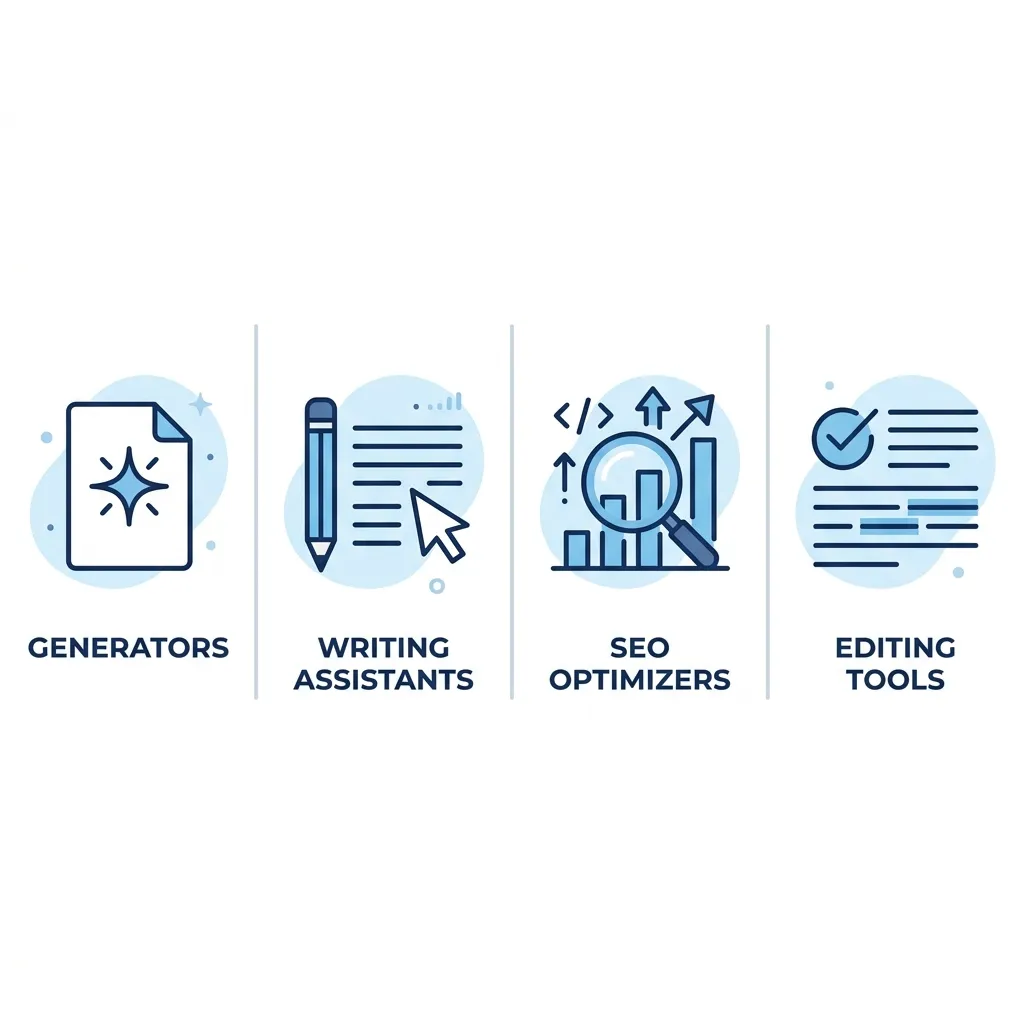
There are four structurally different types:
1. AI content generators produce full drafts from a prompt. You describe a topic, set some parameters, and receive a complete piece of text. The value is speed. The tradeoff is that output quality is heavily prompt-dependent and rarely publish-ready without meaningful editing. ChatGPT, Rytr, and WriteSonic fall into this category.
2. AI writing assistants work alongside you as you write — suggesting rewrites, expanding sentences, continuing paragraphs, or tightening structure. They don’t replace the writing process; they accelerate it. Jasper (in its document mode) and Copy.ai’s workflow tools fit here. What they don’t do: generate a finished piece from scratch with consistent strategic direction.
3. SEO content optimizers build or refine content around keyword and SERP data. They use NLP analysis of top-ranking pages to suggest term coverage, heading structure, and content depth. Surfer SEO is the clearest example. What they don’t do: write compelling prose or match your brand voice without significant manual input.
4. AI editing and proofreading tools refine existing drafts. Grammar correction, clarity improvement, tone adjustment — this is the category Grammarly and QuillBot occupy. They are not generators. If you need a draft produced, they’re the wrong starting point.
A solo blogger producing ten posts per month needs a different tool than a marketing team writing email nurture sequences. An SEO publisher optimizing for SERP performance needs a tool with live SERP data integration — not a general-purpose generator with no keyword awareness. Matching category to situation is the first decision. Everything else follows from it.
Ask yourself three questions before evaluating any tool:
- What am I actually producing? (Blog posts, landing pages, short copy, edits to existing drafts?)
- At what stage of the workflow do I need help? (Starting from nothing, improving a draft, optimizing for search?)
- What quality bar does the output need to hit before it’s usable?
| User Profile | Primary Content Type | Recommended Tool Category | What to Prioritize in Evaluation |
|---|---|---|---|
| Solo freelancer or blogger | Long-form blog posts | AI content generator or writing assistant | Output quality, prompt control, price |
| In-house marketing team | Short-form copy, email, social | AI writing assistant | Brand voice consistency, collaboration features, seat pricing |
| SEO-focused publisher | SEO landing pages, blog content | SEO content optimizer or full pipeline | SERP data integration, AI detection risk, QA depth |
| Editor or writing coach | Editing existing drafts | AI editing and proofreading tool | Grammar accuracy, style control, suggestion quality |
How to Evaluate an AI Content Writing Tool: The Criteria That Actually Matter
Evaluation criteria are only useful if you know how to apply them. Most buyers spend five minutes on a free trial, generate one piece of content, judge it by gut feeling, and move on. That’s how they end up with the wrong tool — or the right tool used incorrectly.
Here are eight criteria, explained in terms of what they mean in practice:
1. Output quality for your content type. A tool that writes serviceable email copy may produce hollow long-form content. Test each tool on your actual content type, not a generic sample prompt. Quality is not universal across tools or content formats.
2. Prompt control and customization depth. How much can you shape the output before it’s generated? Some tools offer basic tone settings. Others let you define audience, structure, source material, and writing style at a granular level. More control generally means less editing required afterward.
3. SEO capability and SERP data integration. Does the tool pull live data from search results, or is it generating from training data alone? Tools with no SERP integration cannot tell you whether a piece is competitive for a target keyword. For SEO content specifically, this distinction matters significantly. Strategy-driven content generation requires more than a well-written draft — it requires keyword and competitive context built into the process.
4. Brand voice consistency. Can the tool learn and replicate your established tone? Most generators produce neutral, middle-of-the-road prose by default. Tools that offer brand voice consistency in AI-generated content — through style guides, tone examples, or trained voice profiles — produce output that requires less editorial rework to sound like your brand.
5. AI detection risk profile. Output from tools trained on high-volume generic patterns scores higher on AI content detectors. Tools that support more specific, user-directed output tend to produce less detectable text. This matters more in some publishing contexts than others, but it’s consistently underweighted at the evaluation stage.
6. Human editing requirement. How much work is left after the AI generates? This is the real efficiency question. A tool that produces a 1,000-word draft in 30 seconds is not saving you 30 seconds — it’s shifting work from generation to verification and editing. Some tools reduce that editing burden substantially. Others produce content that takes nearly as long to fix as it would to write from scratch.
7. Pricing structure including free tier scope. What does the free plan actually include? What changes at the first paid tier? Is pricing per word, per seat, or per credit? The headline price is rarely the effective cost once you account for usage limits and feature gates.
8. Workflow integration. Does the tool connect to your CMS, Google Docs, or publishing stack? Manual copy-paste between tools adds friction and error risk at scale. Integration depth varies significantly across tools.
How you weight these criteria depends on your profile. An SEO publisher should weight SERP integration, AI detection risk, and editing requirement most heavily. A solo creator on a tight budget should weight price, output quality, and prompt control. An in-house marketer should weight brand voice, collaboration features, and seat pricing.
A practical test before committing to any tool: run the same 200-word blog intro prompt across two or three tools. Count how many specific claims you’d need to verify before publishing, how much you’d need to rewrite for brand voice, and how long the editing actually takes. That comparison tells you more than any feature list.
The Best AI Content Writing Tools by User Profile
The table below covers the tools evaluated in this article. Scan it to identify two or three candidates for your profile, then read the relevant sections below.
| Tool | Best For | Content Type Strength | Free Plan | Starting Price (paid) | AI Detection Risk | Human Editing Required |
|---|---|---|---|---|---|---|
| ChatGPT | Solo creators, general drafting | Versatile — blog, copy, summaries | Yes (GPT-3.5) | ~$20/mo (Plus) | Medium-High | Moderate to Heavy |
| Jasper | In-house marketing teams | Long-form blog, marketing copy | No (5-day trial) | ~$39/mo | Medium | Moderate |
| WriteSonic | Solo creators, small teams | Blog posts, ads, landing pages | Yes (limited) | ~$16/mo | Medium-High | Moderate |
| Rytr | Budget-conscious freelancers | Short-form copy, email, blog outlines | Yes (10k chars/mo) | ~$9/mo | High | Heavy |
| Copy.ai | Marketing teams, workflow automation | Short-form copy, workflows | Yes (limited) | ~$36/mo | Medium | Moderate |
| Surfer SEO | SEO-focused publishers | SEO blog content, landing pages | No | ~$89/mo | Low-Medium | Moderate |
| QuillBot | Editors, rewriters | Paraphrasing, editing existing drafts | Yes (limited) | ~$10/mo | Low | Minimal (editing tool) |
| Veldora AI | SEO publishers, business content teams | SEO blog content, full strategy pipeline | Demo only | Credit-based | Low | Minimal (QA built in) |
Solo Creator or Freelancer
Recommended: ChatGPT (with structured prompting) or WriteSonic
For a solo writer producing blog content at volume, ChatGPT at the Plus tier gives the most flexible output for the price — provided you invest time in learning how to prompt effectively. The tradeoff is real: output without strong prompting is generic and requires heavy editing. If you want a more guided experience with built-in content templates, WriteSonic reduces the prompting burden but produces more formulaic output.
What you still need to do yourself: fact-check every specific claim, rewrite for your voice, and add the original perspective that makes content worth reading.
In-House Marketing Team Needing Volume and Brand Voice
Recommended: Jasper
Jasper is built for team use — multiple seats, brand voice training, and content templates designed for marketing workflows. It produces solid long-form drafts and short-form copy from the same platform. The main tradeoff: it’s not cheap at team scale, and its brand voice training requires upfront investment to work well. At the free trial stage, that voice alignment won’t be apparent.
What you still need to do: voice review on every piece, editorial sign-off, and fact verification — especially for any content making specific product or data claims.
SEO-Focused Publisher Prioritizing SERP Performance
Recommended: Surfer SEO for optimization; Veldora AI for a full pipeline
If your goal is content that ranks, a general-purpose AI generator isn’t the right category. You need a tool that understands what’s already ranking for your target keyword and builds content to be competitive against it.
Surfer SEO integrates SERP data directly into content creation, scoring your draft against top-ranking pages for term coverage and structure. It’s a strong choice if you want to manage the writing yourself and use AI for optimization guidance.
For publishers who need the full process handled — keyword strategy, competitive research, writing, and QA — without managing each step, Veldora AI operates as a strategy-driven SEO content pipeline rather than a standalone writer. It’s built on 12 years of agency experience and produces publish-ready content, not rough drafts. That means less editing burden, but it’s not a general-purpose writing tool — it’s built specifically for SEO content at business scale.
Understanding how SEO content compounds over time matters here: the tool you choose affects not just this month’s output but whether your content builds cumulative SERP presence or stays flat.
What Veldora does not do: serve as a general AI writer for email, social, or ad copy. It’s a focused SEO content platform, not a Swiss Army tool.
Editor or Writing Assistant User Who Wants Enhancement, Not Replacement
Recommended: QuillBot or Grammarly
If you’re starting with a human-written draft and want AI help improving it — tightening sentences, adjusting tone, catching errors — you don’t need a generator. QuillBot and Grammarly are built for exactly this workflow. They don’t produce content from scratch, but they do improve existing drafts efficiently. QuillBot is stronger on paraphrasing and restructuring; Grammarly is stronger on grammar, style, and tone consistency at scale.
The tradeoff: neither tool adds original ideas, strategic direction, or SERP awareness. They refine what’s already there.
See real, strategy-backed content before you spend a dollar. Veldora’s demo generates a complete strategy and content piece you can read and evaluate before committing to anything. No credit card. No contracts. Just proof.
Output Quality and AI Detection: What Most Comparisons Won’t Tell You
Every AI content writing tool produces output that requires human review before publishing. The tools differ in how much review they require — not whether they require it. Any vendor claiming otherwise is selling you something.
What Hallucination Actually Means for Content Writers
AI language models generate text by predicting the most statistically likely next word or phrase. They don’t verify facts. They don’t know what’s true — they know what sounds plausible based on training data.
The result is hallucination: AI tools confidently produce factually incorrect information, including false statistics, invented quotes, misattributed studies, and non-existent sources. This is not a bug in any specific tool — it’s a structural property of how these models work. Independent research explains why large language models hallucinate even when outputs appear authoritative and well-formed.
The content types most exposed to this risk: statistics-heavy explainers, technical guides, anything citing research or data, and content requiring original expertise or first-person insight. A blog post claiming a specific percentage from a named study needs primary source verification before it goes anywhere near your CMS.
AI Detection: What’s Actually Happening
AI detection tools like Originality.ai and GPTZero work by analyzing patterns in text that correlate with machine-generated output — sentence structure uniformity, predictable phrasing patterns, low perplexity. Comparing how different detectors evaluate the same content reveals that detection accuracy varies significantly, and no detector is definitive.
Detection risk varies by tool because output specificity varies. A tool producing generic, middle-of-the-road prose that closely mirrors high-volume training data produces more detectable content than a tool supporting highly customized, user-directed output with specific examples and original perspective layered in.
Google’s official guidance on AI-generated content states that Google rewards helpful, high-quality content regardless of how it was produced. But content that reads generically, lacks original perspective, or mirrors thin AI-generated patterns at scale does face quality signals. The issue is not AI authorship — it’s content that fails to demonstrate genuine expertise, authority, or usefulness.
Veldora’s multi-step QA process reduces these risks by building editorial review into the pipeline. It does not eliminate hallucination risk, and no AI system does.
Before You Publish AI-Generated Content, Run Through This
- Verify all factual claims independently — AI tools hallucinate with confidence, including statistics and named sources
- Run the content through your own editorial judgment for brand voice alignment — default AI prose rarely sounds like you
- Check for generic phrasing that mirrors what every other site covering this topic says — if it sounds like every article you’ve read before, it probably reads that way to your audience too
- Confirm all statistics, quotes, and product details against primary sources before publishing
- Review for AI detection risk if publishing in a context where that exposure is a concern for your brand or clients
- Ensure the piece takes a clear stance rather than hedging every claim into a non-answer
- Add first-person insight, examples, or data that only your brand or your experience can provide — this is what no AI tool can generate for you
Pricing and Free Plans: What You Actually Get
Free plans exist across most AI writing tools, but very few are genuinely usable at a professional output volume. Here’s the honest picture.
The Three Pricing Traps to Know Before You Commit
Character-based limits that run out faster than expected. Rytr’s free plan offers 10,000 characters per month — which sounds substantial until you realize a 1,000-word article is roughly 6,000 characters. You get about one and a half articles per month at the free tier before hitting the wall.
Feature-gating where core functionality requires a higher tier. Jasper’s brand voice training, which is the feature that makes it genuinely useful for marketing teams, is not available at entry-level pricing. You may trial the tool without accessing the feature that actually justifies the category.
Seat-based pricing that inflates team costs significantly. Tools priced per seat at $30–$40 per user become materially expensive for teams of four or more. The headline price applies to a single user; factor in your actual team size before comparing.
| Tool | Free Plan Scope | Entry-Level Paid Price | Notable Limitation |
|---|---|---|---|
| ChatGPT | GPT-3.5 access, unlimited (slower) | ~$20/mo (Plus, GPT-4) | GPT-4 quality requires paid tier; no native SEO integration |
| Jasper | 7-day trial only | ~$39/mo (Creator) | Brand voice training not available at Creator tier |
| WriteSonic | ~10,000 words/mo (limited quality) | ~$16/mo | Word count drops sharply at free tier; premium models cost more |
| Rytr | 10,000 characters/mo | ~$9/mo (Saver) | Character limit exhausted quickly; limited output modes |
| Copy.ai | 2,000 words/mo, limited workflows | ~$36/mo | Workflow features (the main value) require paid plan |
| Surfer SEO | No free plan | ~$89/mo (Essential) | High entry price; content editor credits limited per tier |
| QuillBot | Paraphrasing with length limits | ~$10/mo (Premium) | Premium modes and longer input require paid tier |
| Veldora AI | Proof-of-concept demo (not a free plan) | Credit-based | Demo is a one-time evaluation, not an ongoing free writing tier |
A note on Veldora’s model: the demo produces real strategy and real content output you can read and evaluate before spending anything. It is not a free plan comparable to general AI writers — it’s a proof-of-concept. You see the work first; then you decide. No credit card required for the demo.
For the SEO publisher profile, the $89 entry point for Surfer SEO or Veldora’s credit-based model may look expensive against a $9 or $16 alternative. The relevant comparison is not the monthly fee — it’s the effective cost per publish-ready piece after you account for editing time, fact-checking, and the SEO value of content that’s actually competitive.
Generate a real, strategy-backed post on the free demo and read it yourself — before you spend a dollar. No credit card. No contracts. Just proof.
FAQ: Common Questions About AI Content Writing Tools
What is the difference between an AI writing tool and an AI writing assistant?
An AI writing tool typically refers to a generator — it produces full content drafts from a prompt, starting from a blank page. An AI writing assistant works alongside you as you write, suggesting improvements, extending your existing text, or refining structure and tone. The functional difference is whether the tool replaces the drafting process or supports it. Many platforms market themselves as both, but their primary design favors one mode over the other.
Can Google detect AI-generated content and does it affect rankings?
Google’s stated position is that it rewards helpful, high-quality content regardless of how it was produced. Google has explicitly addressed AI content and search quality. The risk is not AI authorship — it’s content that lacks genuine expertise, original perspective, or usefulness at the page level. Generic AI output that mirrors thin content patterns at scale does face quality signals. The answer is not to avoid AI tools; it’s to ensure output is edited, specific, and actually useful to the reader.
Which AI content writing tool is best for long-form blog posts?
For solo creators writing blog content on a budget, ChatGPT with structured prompting or WriteSonic produces serviceable long-form drafts with the least friction. For marketing teams needing brand consistency at volume, Jasper is the more purpose-built option. For SEO publishers who need content that’s competitive in search, a tool with SERP integration — Surfer SEO or a full pipeline like Veldora — produces better results than a general-purpose generator, because long-form SEO content requires more than well-written prose.
Are free AI writing tools good enough for professional use?
Rarely, at a meaningful volume. Most free plans impose character or word limits that run out within one or two articles per month, restrict access to higher-quality output models, and feature-gate the tools that make AI content actually usable at a professional standard. For low-stakes personal use or occasional drafting, free tiers can work. For any workflow where content is a business asset, the free tier is almost always a limitation you’ll hit within weeks.
How much human editing does AI-generated content typically require?
It depends heavily on the tool, the content type, and your quality bar — but the honest baseline is: more than most people expect going in. Even strong tools produce output that needs fact-checking, brand voice alignment, structural editing, and an originality layer that AI cannot supply. Expect to spend 30 to 60 minutes editing a 1,000-word AI-generated draft before it’s ready for professional publication. Tools with built-in QA or highly customizable output reduce this — they don’t eliminate it.
Which AI writing tool works best for SEO content creation?
For pure content optimization against SERP data, Surfer SEO is the clearest tool in the category. For publishers who need the full process — keyword strategy, competitive analysis, writing, and QA — handled without managing each step separately, Veldora AI is built specifically for that workflow. It runs the complete SEO content pipeline and is grounded in agency-level SEO practice, not assembled from generic AI components. It is not a general-purpose writer, and it’s not the right choice for social copy, email, or ad content — only for SEO blog content at business scale.
← Back to all posts