AI Tools for Content Creators in 2026: Matched by Use Case
By Veldora AI · June 26, 2026 · Updated June 26, 2026

The Best AI Tools for Content Creators in 2026: Matched to Your Workflow and Content Type
Most AI tool guides hand you a numbered list of 20 tools and leave you exactly where you started — unsure which one is actually worth trying. If you’ve already read two or three of those lists, you know the feeling.
This guide is organized differently. Instead of ranking tools by popularity, it matches them to creator type and workflow stage. A solo blogger, a YouTube creator, and a social media manager have almost no overlapping tool needs. A guide that treats them the same isn’t useful to any of them.
Here’s what this covers: AI writing tools, video and audio tools, visual and design tools, SEO optimization tools, and a recommended two-to-three tool stack for five creator personas. Every tool entry includes honest free tier notes and at least one real limitation — because uniformly positive descriptions aren’t actually helpful.
Key Takeaways
- The right AI tool depends on your content format, creator type, and budget — not on a universal ranking.
- ChatGPT and Claude are the most widely used AI tools by content creators and belong in any honest comparison.
- Free tiers are often more limited than advertised — know what you can actually do before committing to a paid plan.
- No single tool covers the full content workflow — a two-to-three tool stack beats a single subscription for most creators.
- AI output always needs human editing. The best tools reduce editing burden; none of them eliminate it.
How to Choose an AI Tool as a Content Creator
Tool selection is a workflow decision. The factors that actually determine fit are: what content type you produce, what stage of your workflow you need help with, how much editing time you have, and what you can realistically spend.
Popularity and review scores don’t answer those questions. And adoption is accelerating: Adobe’s 2026 creator survey documents how broadly AI tools have entered creator workflows — which makes it more important, not less, to be selective about which tools actually fit your situation. Here are the criteria worth applying:
- Content types supported — does the tool handle long-form text, short copy, video scripts, audio, visuals, or SEO-targeted content?
- Free tier usability — what can you actually accomplish without a paid plan? Not “free plan available” — what specifically is included?
- Editing burden — how much human revision does the output realistically require before it’s publishable?
- Workflow fit — does it connect with tools you already use, or does it create a separate silo?
- Learning curve — how quickly do you get usable output on day one?
One more thing worth saying directly: you don’t need ten tools. Subscription fatigue is real, and adding more tools usually adds overhead, not output. Most creators run a complete workflow on two or three tools.
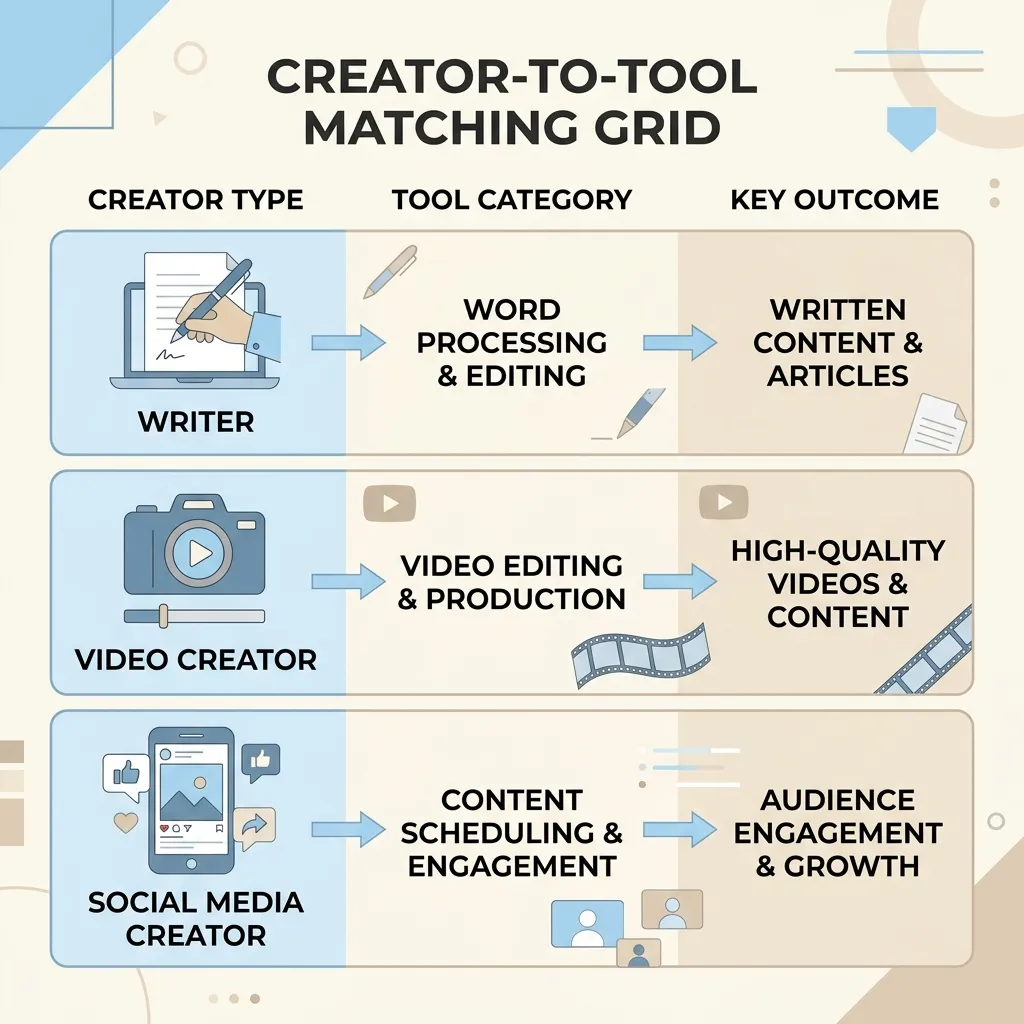
Use the self-selection grid below to identify which tool category is most relevant to your work before reading further.
| If you primarily create… | Start with this tool category | Key decision factor |
|---|---|---|
| Long-form blog posts or articles | AI writing tools (ChatGPT, Jasper, Claude) | Voice retention and editing burden |
| YouTube or video content | Video AI tools (Descript, Opus Clip) | Editing workflow and repurposing |
| Social and short-form content | Copy + visual tools (Copy.ai, Canva AI) | Output speed and format variety |
| Newsletters or email | AI writing tools with voice customization | Brand voice consistency |
| SEO-targeted content at scale | SEO + pipeline tools (Surfer SEO, Outranking) | Strategy integration and output volume |
| Podcasts or audio | Audio tools (ElevenLabs, Descript) | Transcript editing and voice synthesis |
Quick-Reference: All Tools at a Glance
This table covers every tool in the guide with consistent fields. Use it to orient before reading the category deep-dives, or to skip directly to the section most relevant to your creator type. Note: pricing changes frequently — verify current plans on each tool’s site.
| Tool | Best For | Content Types | Free Tier Reality | Starting Price |
|---|---|---|---|---|
| ChatGPT | Long-form writing, outlines, brainstorming | Text, scripts, copy, summaries | Free tier uses GPT-3.5; GPT-4 requires Plus | Free / $20/mo |
| Claude | Long-form writing, nuanced tone, analysis | Text, essays, summaries, copy | Free tier available with usage limits | Free / $20/mo |
| Jasper | Marketing copy and brand-voice writing | Blog posts, ads, email, social | No meaningful free tier; trial only | ~$49/mo |
| Copy.ai | Short-form copy and campaign assets | Social posts, ads, product copy, email | Free plan includes limited runs per month | Free / $49/mo |
| Descript | Video and podcast editing via transcript | Video, audio, transcripts | Free tier with limited export resolution | Free / $24/mo |
| Opus Clip | Repurposing long-form video into short clips | Video (YouTube to TikTok/Reels) | Free tier with limited clips per month | Free / $19/mo |
| Pictory | Text-to-video from articles or scripts | Video from written content | Free trial; limited scenes without paid plan | ~$23/mo |
| InVideo | Template-based video creation | Social video, explainers, ads | Free tier with watermark on exports | Free / $30/mo |
| Synthesia | AI presenter video with avatars | Training videos, product demos | No meaningful free tier | ~$29/mo |
| ElevenLabs | Voice synthesis and audio narration | Audio, voiceovers, podcast | Free tier with limited monthly characters | Free / $11/mo |
| Canva AI | Branded graphics and social assets | Images, infographics, presentations | Free tier includes limited AI generations | Free / $15/mo |
| DALL-E | AI image generation within ChatGPT workflows | Images, illustrations | Included with ChatGPT Plus; limited standalone | Free with Plus / pay-per-use |
| Midjourney | High-quality creative image generation | Illustration, concept art, photography-style | No free tier currently available | ~$10/mo |
| Surfer SEO | SEO content scoring and optimization | Long-form SEO articles | No meaningful free tier | ~$89/mo |
| NeuronWriter | SEO briefs and content scoring | Long-form SEO content | Free trial; limited queries | ~$23/mo |
| Outranking | AI-assisted SEO writing and briefs | SEO blog content | Limited free trial | ~$79/mo |
| Gemini | Research, summarization, Google Workspace integration | Text, summaries, copy | Free tier available; Advanced requires subscription | Free / $20/mo |
Best AI Tools for Written Content: Blogs, Long-Form, and Newsletters
This is the most crowded tool category, and it’s also the one where the most misleading comparisons happen. The most important distinction to make upfront: general-purpose LLMs (ChatGPT, Claude, Gemini) are not the same as purpose-built writing tools (Jasper, Copy.ai). Both categories belong in this comparison.
ChatGPT vs. Claude vs. Purpose-Built Tools: What the Difference Actually Means
ChatGPT is where most creators start — and for good reason. It handles first drafts, outlines, brainstorming, and research summaries well. The limitation is that it has no memory of your brand voice by default. Everything you generate will need editing to sound like you, not like a generic internet article. The free tier uses GPT-3.5, which is noticeably less capable for nuanced writing tasks. GPT-4 requires the $20/month Plus plan.
Claude (Anthropic) handles longer documents and more nuanced tonal instructions better than ChatGPT in many cases. It tends to produce writing that reads less mechanically, which reduces editing burden for newsletter and essay-style creators. The free tier has usage caps, but they’re workable for occasional use. Starting price is $20/month for the Pro plan.
Gemini (Google) is most useful if you’re already working inside Google Workspace — it integrates directly with Docs and Gmail. For standalone writing tasks, it’s competitive with Claude and ChatGPT but doesn’t have a clear edge in voice retention. Free tier is available; the Advanced plan runs $20/month.
Jasper is designed specifically for marketing copy and includes brand voice settings — you can configure tone, style examples, and audience parameters. That setup takes time, and the output still needs review, but it produces more brand-consistent drafts than the general-purpose LLMs out of the box. The tradeoff: there’s no meaningful free tier, and the starting price of around $49/month is a real commitment before you’ve validated it for your workflow.
Copy.ai is strong for short-form copy — social posts, product descriptions, ad copy, email subject lines. It’s less effective for long-form content where structure and argument development matter. The free plan includes limited runs per month, which is enough to evaluate whether it fits before paying.
The Voice Problem
This is the issue most guides skip. AI writing tools are trained on massive volumes of average internet writing. By default, they produce average internet writing — which means generic sentence structure, safe opinions, and phrasing that sounds like it could have come from anyone.
Maintaining an authentic creator voice in AI-generated content requires more than a single prompt instruction. It requires voice examples, consistent editing feedback loops, and a clear sense of what your actual tone sounds like before you ask a tool to replicate it.
For newsletter creators specifically: Claude tends to handle longer-form tonal consistency better than ChatGPT without as much prompt engineering. Jasper’s voice settings are useful if you’re producing content at volume. For occasional use, neither tool is necessary — ChatGPT Plus with detailed voice instructions in the system prompt is sufficient.
Writing Tools Comparison
| Tool | Best For | Free Tier Reality | Starting Price | Honest Limitation |
|---|---|---|---|---|
| ChatGPT | Drafts, outlines, brainstorming | GPT-3.5 free; GPT-4 needs Plus | Free / $20/mo | No voice memory by default; requires editing to sound like you |
| Claude | Long-form tone, essays, newsletters | Free with usage caps | Free / $20/mo | Less integrated with third-party platforms than ChatGPT |
| Gemini | Google Workspace users | Free tier available | Free / $20/mo | Weaker outside Google ecosystem |
| Jasper | Marketing copy at volume | Trial only; no functional free tier | ~$49/mo | High cost before proof of value; setup time required |
| Copy.ai | Short-form copy and campaigns | Limited runs on free plan | Free / $49/mo | Not well-suited for long-form structural writing |
For teams producing SEO content at volume who want strategy and research built into the writing process — not bolted on afterward — AI writing backed by research and intent operates differently from standalone generation tools. It’s worth understanding the distinction before assuming a standalone tool is the right fit.
Best AI Tools for Video and Audio Content Creators
Video and audio creators have almost entirely different tool needs from writers. Organizing by workflow stage makes the most sense here: script generation first, then editing and production, then repurposing.
Script Generation
ChatGPT is the most practical tool for script drafts. Give it your topic, audience, intended length, and a few notes on your style, and it produces a usable first draft quickly. It won’t capture your on-camera personality, but it removes the blank-page problem.
Editing and Production
Descript is the most useful editing tool for creators who work in video and audio. It transcribes your recording, lets you edit the transcript as a text document, and the media edits in sync. The AI features include filler-word removal, audio cleanup, and overdub (voice cloning for minor corrections). Free tier exports at limited resolution; paid plans start around $24/month.
ElevenLabs handles voice synthesis and narration. Useful for podcasters who want to generate voiceover content or creators working with text-to-speech narration. The free tier includes a limited monthly character count — enough to test, not enough for regular production use. Paid plans start around $11/month.
Repurposing
Opus Clip is built specifically for repurposing long-form YouTube content into short-form clips for TikTok, Reels, or Shorts. It identifies the most engaging segments, adds captions, and exports clips formatted for short-form platforms. It is not a general video editor and shouldn’t be evaluated as one. Free tier includes a limited number of clips per month.
Pictory and InVideo both convert text or scripts into video using stock footage and templates. Pictory is stronger for turning written articles into video summaries. InVideo is more flexible for template-based social video. Both have quality ceilings — the output works for content marketing but won’t pass for high-production creator content. InVideo’s free tier includes a watermark.
Synthesia produces presenter-style videos with AI avatars. It’s genuinely useful for training content and product demos where a talking-head format works. For personality-driven creators where authenticity is part of the value, AI avatar videos tend to feel impersonal — that’s a real limitation worth knowing.
Video Tools: Honest Assessment
| Tool | Pros | Cons |
|---|---|---|
| Descript | Transcript-based editing is fast; audio cleanup works well; good for podcasters and video creators alike | Free tier limits resolution; voice cloning requires recording samples |
| Opus Clip | Purpose-built for repurposing; saves significant time for creators publishing on multiple platforms | Only works with long-form source content; clip quality depends on source quality |
| Pictory | Easy text-to-video from articles; good for repurposing written content | Output looks templated; limited creative control; not suited for personality-driven content |
| InVideo | Flexible templates; decent free tier to evaluate | Watermark on free exports; heavily template-dependent |
| Synthesia | Polished avatar video without filming; good for demos and training | Not suited for creator content where personal authenticity matters |
Best AI Tools for Visual Content and Design
Canva AI, DALL-E, and Midjourney are not interchangeable. They serve different creators with different skill levels and different output needs.
Canva AI is accessibility-first. If you need branded social graphics, presentation slides, or thumbnails without design experience, Canva AI is the right starting point. The AI features — background removal, text-to-image generation, Magic Write for copy — are built into a template system that non-designers can use immediately. The free tier includes limited AI generations per month.
DALL-E (OpenAI) is most useful for creators already working inside ChatGPT Plus — the integration is seamless for generating supporting images during a content workflow. Image quality is good for illustration and concept work. For photorealistic or highly specific images, the output requires iteration and doesn’t always deliver. Available through ChatGPT Plus or pay-per-use through the API.
Midjourney produces the highest-quality creative image output of the three for artistic and editorial work, but it requires prompt literacy to get useful results. The gap between a vague prompt and a precise one is significant. There’s currently no free tier. Plans start around $10/month.
Visual Tools: Honest Assessment
| Tool | Pros | Cons |
|---|---|---|
| Canva AI | Accessible to non-designers; integrated with templates and brand kits; generous free tier | AI image generation is limited; output looks like Canva |
| DALL-E | Integrated with ChatGPT workflows; good for quick illustration | Inconsistent photorealism; less creative range than Midjourney |
| Midjourney | Highest creative output quality; versatile for editorial and artistic work | No free tier; requires prompt skill; Discord-based interface is unintuitive |
A Note on Copyright
AI-generated images sit in contested legal territory. The U.S. Copyright Office’s current guidance on AI-generated content does not grant copyright protection to images produced entirely by AI without meaningful human authorship. If you’re publishing AI-generated visuals commercially, understand what you do and don’t own before building a content strategy around it.
Best AI Tools for SEO and Content Optimization
AI SEO tools are useful for guidance, not instructions. The distinction matters.
Surfer SEO scores your content against top-ranking pages and tells you what to add, cut, or restructure. It’s useful if you’re writing SEO-targeted articles regularly. The risk: following its suggestions mechanically produces content that reads like a keyword checklist, not an article. A piece that hits a 90 content score while ignoring readability often underperforms a 70-score article with a clear point of view. No meaningful free tier; plans start around $89/month.
NeuronWriter covers similar ground at a lower price point — content scoring, NLP-based keyword recommendations, and brief generation. It’s a reasonable alternative for solo creators who find Surfer’s pricing hard to justify. Free trial available; paid plans start around $23/month.
Outranking combines AI writing with SEO brief generation — useful for creators who want to start from an SEO-informed outline rather than adding optimization after the fact. More integrated than Surfer but less established. Limited free trial; paid plans start around $79/month.
For creators producing SEO content at volume, the question eventually becomes whether managing individual tools separately is more efficient than a pipeline that handles strategy, research, and writing together. That’s where strategy-backed content pipelines become relevant — not as a replacement for tools like Surfer, but as a different operational model.
If you’re interested in how SEO-focused content compounds into lasting search authority over time rather than just optimizing individual pieces, this post on compounding SEO returns covers that angle specifically.
SEO Tool Fit by Creator Type
| Creator Type | Best SEO Tool Fit | Why |
|---|---|---|
| Solo blogger, occasional SEO content | NeuronWriter | Lower price point; enough guidance for periodic use |
| Freelance writer producing SEO content regularly | Surfer SEO | Content scoring integrates well into a per-article workflow |
| Content team publishing multiple articles/week | Surfer SEO or Outranking | Scale justifies the cost; brief generation saves time |
| Agency or SMB with high content volume | SEO + writing pipeline | Managing individual tools at volume adds overhead; pipeline approach reduces it |
Recommended AI Tool Stacks by Creator Type
The goal is not to use as many AI tools as possible. The goal is to find two or three that cover your workflow without creating more overhead than they save. Here’s what that looks like for five creator types.
Solo Blogger or Writer
- ChatGPT or Claude — drafts, outlines, research summaries. Claude handles longer-form tone better; ChatGPT is more versatile across task types.
- Surfer SEO or NeuronWriter — SEO scoring before publishing. NeuronWriter is the budget option; Surfer is worth it if you’re producing SEO content consistently.
- Grammarly or Hemingway Editor — editing and readability review before publishing. Both have free tiers that are actually usable.
This is a complete writing workflow for under $50/month combined at most configurations.
YouTube or Video Creator
- ChatGPT — script drafts and title brainstorming. Give it your topic, format, and a few notes on your style.
- Descript — AI-assisted video editing and transcript cleanup. The filler-word removal alone saves significant time.
- Opus Clip — repurposing long-form videos into short-form clips for TikTok, Reels, or Shorts.
Social Media and Short-Form Creator
- Copy.ai — short-form copy, caption variations, and campaign assets. The free tier is enough to evaluate it.
- Canva AI — graphics, templates, and social assets. Integrates directly with a publishing workflow.
Two tools are enough here. Adding a third rarely improves output for short-form content.
Newsletter or Email Creator
- Claude — longer-form writing with better tonal consistency than ChatGPT for essay and newsletter formats.
- Grammarly — final editing pass before send. Free tier covers most use cases.
For newsletter creators, the investment is in writing quality and voice, not tool complexity. Keep the stack simple.
Marketing Team or Agency
- ChatGPT or Claude — ideation, drafts, repurposing across formats.
- Surfer SEO — content optimization and brief generation for SEO-targeted content.
- Managed pipeline alternative — some teams find that managing individual tools across a content operation adds friction that outweighs the savings. If your team wants strategy, research, and brand-matched writing handled as a single pipeline without managing tool integrations manually, that’s a different category of solution from the tools above.
When AI Tools Help — and When They Hurt Your Content
Every tool on this list is a starting point, not a finished product. Understanding where AI tools create problems is more useful than a list of features.
Where AI Tools Reduce Quality
Voice loss is the most common problem. AI output trained on average internet writing defaults to average internet tone — functional, clear, and completely generic. Getting distinctive output requires detailed voice instructions, example text you’ve written, and consistent editing. It doesn’t happen automatically.
Generic structure is the second most common issue. Most AI writing tools default to listicle format — introduction, three to five bullet points, conclusion. That structure is easy to generate and often the wrong choice for content that needs to argue a position, tell a story, or build a case.
Confident inaccuracy is a real risk, especially with ChatGPT and Claude. Both tools will produce plausible-sounding information that is outdated or simply wrong. Any factual claim in AI-generated content needs verification before publishing.
Cultural tone errors are less discussed but genuinely occur — especially in content targeting specific regional audiences, professional communities, or niche creator segments. AI output can miss register in ways that are immediately obvious to the audience but invisible to the tool.
AI Content and SEO: The Honest Picture
The concern that AI-generated content will hurt search rankings is understandable but overstated in most contexts. Google’s documented position is that helpful, people-first content is what matters — not whether a tool was involved in creating it. Low-quality content, thin content, and content designed primarily for search engines rather than readers is the actual target.
The risk is not AI. The risk is producing undifferentiated content at scale and assuming it will rank because it’s technically optimized.
Pre-Publish Editing Checklist for AI-Generated Content
Before publishing anything AI-generated, check for these specific signals:
- The intro does not reference a specific problem the reader has — it opens with a generic framing statement instead
- No specific example appears in the first 200 words
- The piece uses more than two lists in a row without explanatory prose between them
- The conclusion restates the intro without adding new guidance or a clear point of view
- Every opinion is hedged to the point of saying nothing (“it depends,” “there are many factors”)
- The tone is indistinguishable from other content on the same topic
- A factual claim appears without a named source or verifiable reference
- The word count is being padded with transitions and restatements rather than substance
Any of these items in your content is a signal to edit before publishing, not after.
See Real Output Before You Spend Anything
If you’re producing SEO content for a business and want to see what a strategy-backed, research-informed, brand-matched article looks like before committing to anything — generate a real post on Veldora’s free demo and read it yourself.
No credit card. No contracts. Just proof.
Built on 12 years inside SEO agencies, Veldora handles the full pipeline — keyword research, competitor analysis, brand-matched writing, and QA — in a single workflow. It’s not a standalone writing tool and doesn’t belong in the same comparison as ChatGPT or Jasper. It’s the alternative for SMB owners and agencies who’d rather have the operation handled than manage individual tools themselves.
Frequently Asked Questions
What is the best free AI tool for content creators with no budget?
ChatGPT’s free tier (GPT-3.5) handles drafts, outlines, and brainstorming without payment. Claude also has a usable free tier for writing tasks. For design, Canva AI’s free plan includes limited AI generations. For video editing, Descript’s free tier works for short projects. None of these free tiers are unlimited — know the specific caps before building a workflow around them.
Can AI tools replace a human content writer?
No. Every tool on this list produces output that requires human editing before it’s publishable. The more your content depends on distinctive voice, original argument, or factual accuracy, the more editing it requires. AI tools reduce the blank-page problem and speed up drafting — they don’t replace the judgment, voice, and verification a human writer provides.
Which AI writing tool produces the most natural-sounding content?
There’s no universal answer — it depends heavily on the quality of your prompt and voice instructions. Claude tends to produce less mechanically structured prose than ChatGPT by default. Jasper produces more brand-consistent output if you configure voice settings. But all three require editing to sound like a specific person rather than a generic content generator.
How many AI tools does a content creator actually need?
Two or three, for most workflows. A writing tool, an editing or optimization tool, and possibly a visual or repurposing tool covers the majority of content workflows. Adding more tools usually adds overhead without proportional output improvement. Start with one tool, use it until you hit its limits, then add a second.
Will AI-generated content hurt my SEO rankings?
Google’s guidance targets low-quality, thin, or manipulative content — not AI-assisted content specifically. AI-generated content that is helpful, original, and written for readers rather than search engines is not penalized on the basis of how it was produced. The real risk is publishing undifferentiated content at scale and expecting it to rank based on optimization alone.
What is the difference between ChatGPT and purpose-built tools like Jasper or Copy.ai?
ChatGPT is a general-purpose language model — it can do many things reasonably well but has no built-in memory of your brand, no pre-configured content templates, and no SEO features. Jasper and Copy.ai are purpose-built for content marketing — they include brand voice settings, content templates, and workflow integrations out of the box. The tradeoff is cost: both start significantly higher than ChatGPT Plus, and neither has a meaningful free tier.
Which AI tool is best for my specific content type?
Use the criteria grid at the top of this guide to self-select. Short version: for long-form writing, start with ChatGPT or Claude. For video editing and repurposing, start with Descript and Opus Clip. For social copy, start with Copy.ai. For SEO content, add Surfer SEO or NeuronWriter to your writing workflow. For design and visuals, Canva AI is accessible to non-designers; Midjourney requires prompt skill but produces stronger creative output.
← Back to all posts