AI Content Writing Tools Compared: Honest Reviews & Use-Case Fit
By Veldora AI · June 30, 2026

Best AI Content Writer Tools: Honest Reviews, Pricing, and Use-Case Recommendations
If you have read other AI writing tool comparisons, you already know the problem. Every tool gets a 9.2 out of 10. The cons are things like “pricing may not suit all budgets” and “some users want more templates.” Nobody tells you which tool produces the least broken first draft for your specific content type, what editing actually costs you in time, or whether paying $49/month is justified when ChatGPT exists.
This article does not rank tools by popularity or affiliate payout. It reviews seven tools — ChatGPT, Claude, Jasper, Copy.ai, Quillbot, Surfer AI, and Veldora — against identical criteria: pricing, output quality, editing burden, SEO capability, and AI detection exposure. Different tools win for different readers. The goal is to help you stop reading comparisons and start working.
Pricing is included for every tool. Limitations are named specifically. And the article’s position is direct: the right AI content writer tool is the one that fits your workflow, not the one with the most features or the loudest brand.
Key Takeaways
- No single AI writing tool is best for every use case. The right choice depends on content type, volume, SEO needs, and how much editing time you have available.
- Pricing is included for every tool in this article. Free tiers vary dramatically in what they actually unlock.
- Every tool reviewed here has a real limitation — named specifically, not softened.
- AI output is always a draft. The tool that saves the most time is the one that produces the least broken drafts for your specific content type.
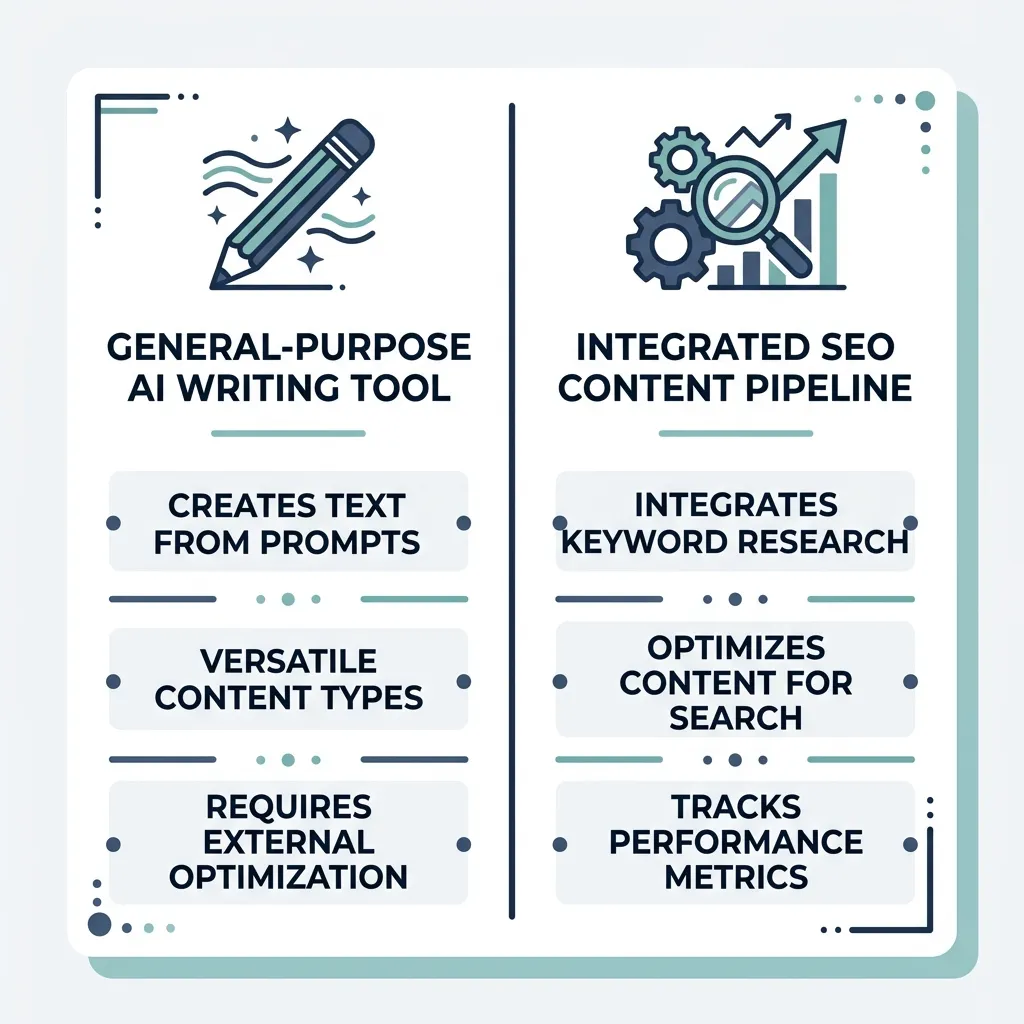
- If SEO is your primary goal, a tool with built-in keyword research and strategy capability is meaningfully different from a general-purpose AI writer.
Which AI Writing Tool Is Right for Your Situation?
If you already know your role and workflow, this table gives you a direct answer. The full reviews below explain the reasoning — read those if you want to verify the recommendation or if you sit between categories.
| Your Situation | Recommended Tool | Why |
|---|---|---|
| Solo blogger or freelance writer | Claude (free tier) or ChatGPT (free tier) | Strong long-form output, no subscription required, flexible across content types — add your own structure and editing |
| SEO content writer (keyword-targeted, long-form) | Surfer AI | Integrates keyword data and SERP context directly into the writing workflow — reduces the gap between AI output and rankable content |
| Content marketer or marketing team (high volume, mixed formats) | Jasper or Copy.ai | Both handle short-form, campaign copy, and social formats well; team features and template libraries reduce coordination overhead |
| SMB or agency running a full SEO content operation | Veldora | Not a standalone writing tool — runs strategy, keyword research, competitor analysis, brand-matched writing, and QA as an integrated pipeline |
| Best free option with minimal sign-up friction | ChatGPT (free plan) | Available immediately, handles most content types adequately, and sets the baseline every paid tool needs to beat |
If none of these match your situation exactly, read through the tool reviews below. The comparison table at the end gives you a side-by-side view across all seven criteria.
AI Content Writer Tools Reviewed: Consistent Scoring, Honest Tradeoffs
Each review below follows the same structure: Best For, Pricing, Output Quality, Key Strengths, Real Limitations, and whether the tool adds meaningful value over using ChatGPT directly. According to HubSpot’s State of AI research, AI writing tool adoption has accelerated significantly across marketing teams — which makes honest tool selection more important, not less.
ChatGPT (OpenAI)
Best For: Writers who want maximum flexibility across content types and are willing to manage their own workflow.
Pricing: Free tier available with GPT-3.5. GPT-4 access requires ChatGPT Plus at approximately $20/month. Pricing is subject to change — verify current rates at openai.com.
Output Quality: GPT-4 produces the strongest long-form output of any tool on this list when given a well-constructed prompt. The writing is coherent, the structure is serviceable, and the range of content types it handles is broader than most dedicated tools.
Key Strengths: Flexibility. You can prompt it for any format, adjust tone mid-conversation, and iterate quickly. The model underlying many paid tools on this list is the same one you are accessing here directly.
Real Limitations: No built-in SEO features, no brand voice training, no QA layer, and no memory of your preferences across sessions (without setup). You are responsible for the entire workflow: research, structuring, editing, fact-checking, and detection mitigation. For solo users who enjoy that control, this is fine. For teams that need consistency at volume, it is a significant operational gap.
Worth It Over ChatGPT? This is the baseline. Every other tool on this list should be evaluated against whether it adds enough workflow value to justify its cost over a $20/month ChatGPT Plus subscription.
Pros and Cons:
- Pro: Strongest general-purpose output quality; handles almost any content format
- Pro: Lowest entry cost; free tier is genuinely usable
- Pro: Underlying model for many paid tools — you are often getting the same output without the wrapper cost
- Con: No SEO integration whatsoever — keyword targeting, SERP data, and search intent alignment are entirely manual
- Con: No brand voice consistency across sessions without significant prompt engineering
- Con: Hallucination risk is real; technical and niche topics require careful fact-checking
Claude (Anthropic)
Best For: Writers who need strong long-form drafts with a more natural, less AI-inflected tone.
Pricing: Free tier with Claude.ai. Claude Pro at approximately $20/month. Pricing subject to change.
Output Quality: Claude often produces text that reads more naturally than GPT-4 output — fewer filler phrases, slightly less uniform sentence cadence. For blog content and editorial writing, it is a credible alternative to ChatGPT and in some cases produces drafts that require less stylistic editing.
Key Strengths: Longer context window (useful for feeding in existing documents, style references, or research). Tendency toward more measured, readable prose that holds up better under editorial review.
Real Limitations: Like ChatGPT, it has no SEO features, no brand voice training infrastructure, and no structured QA. It also has weaker coverage of very recent events and some technical domains. The free tier has usage limits that make sustained daily use impractical for high-volume teams.
Worth It Over ChatGPT? As a direct writing alternative, yes — especially for long-form and editorial content where tone matters. As a workflow system, both tools leave the same operational gaps.
Pros and Cons:
- Pro: Natural-reading prose with less of the telltale AI cadence
- Pro: Handles long documents and complex prompts well
- Pro: Free tier is sufficient for occasional use
- Con: No SEO integration — same gap as ChatGPT
- Con: Less brand-name tool recognition means fewer community resources and prompt guides
- Con: Hallucination risk exists; niche accuracy requires the same verification process as ChatGPT
Jasper AI
Best For: Marketing teams producing high volumes of short-form and campaign content — ad copy, social posts, email sequences, and product descriptions.
Pricing: Plans start at approximately $49/month for the Creator plan. Business plans are significantly higher. Pricing is subject to change — verify at jasper.ai.
Output Quality: Jasper produces polished marketing copy at speed. For short-form content, it is genuinely efficient. For long-form blog output, the surface reads well but the underlying argument often does not hold across 1,500+ words without a full structural edit. It writes good sentences; it does not always build a good piece.
Key Strengths: Template library covers a wide range of marketing formats. Brand voice training feature lets teams store tonal guidelines. Integrates with Surfer SEO for keyword context (at additional cost). Reasonable for teams that need consistent, brand-aligned short-form output at volume.
Real Limitations: Long-form blog content often requires restructuring — not just line editing — because Jasper fills word count without always maintaining logical progression. The SEO capability requires a Surfer integration add-on; it is not native. At $49+/month, the value depends heavily on whether you are using the template library and team features.
Worth It Over ChatGPT? For marketing teams producing short-form campaign content at volume, possibly yes — the template library and brand voice features add real workflow value. For solo bloggers or SEO-focused writers, the cost-to-output ratio is harder to justify without the Surfer integration.
Pros and Cons:
- Pro: Strong short-form marketing copy output
- Pro: Brand voice and template features reduce team coordination overhead
- Pro: Workflow integrations for marketing-focused teams
- Con: Long-form blog output requires structural editing, not just line editing — plan for it
- Con: SEO capability is an add-on (Surfer integration), not built in
- Con: Starting price is the highest of the general-purpose tools reviewed here
Copy.ai
Best For: Content marketers and solo writers who need a range of short-form formats — social posts, email subject lines, product descriptions, outlines — without a steep learning curve.
Pricing: Free tier available (limited monthly word count). Paid plans start at approximately $49/month. Pricing subject to change — verify at copy.ai.
Output Quality: Copy.ai is competent for short-form content. It is not the strongest long-form blog writer on this list. The free tier is genuinely useful for occasional use, and the template library covers a wide enough range that most content marketers will find the formats they need.
Key Strengths: Lower barrier to entry than Jasper. Free tier is usable for light volume. Workflow automation features (“Workflows”) allow multi-step content sequences for teams.
Real Limitations: Long-form output quality lags behind ChatGPT and Claude when evaluated on argument structure and factual depth. SEO capability is limited — no native keyword integration. The free tier’s word limits make it less useful for writers with regular volume needs.
Worth It Over ChatGPT? For short-form content marketers who want a template-driven workflow and are not using ChatGPT’s API or custom instructions, possibly. For anyone producing long-form content or SEO-targeted blog posts, ChatGPT Plus at $20/month typically produces better raw output.
Pros and Cons:
- Pro: Wide short-form template coverage; accessible to non-technical users
- Pro: Usable free tier for occasional short-form needs
- Pro: Workflow automation features for marketing teams
- Con: Long-form output structure is weak relative to direct ChatGPT or Claude use
- Con: No meaningful SEO integration
- Con: At $49/month, harder to justify over ChatGPT Plus unless the template library covers a specific workflow gap
Quillbot
Best For: Writers who want to paraphrase, restructure, or tone-adjust existing content — not generate new content from scratch.
Pricing: Free tier with paraphrasing limits. Premium at approximately $19.95/month (lower if billed annually). Pricing subject to change — verify at quillbot.com.
Output Quality: Quillbot is a different category of tool than the others reviewed here. It does not generate long-form content from a prompt — it rewrites and paraphrases existing text. For writers who use AI output and want to reduce AI detection signals or adjust the reading level and tone, it is a useful post-processing tool. Evaluated as a standalone content generator, it is not the right comparison.
Key Strengths: Paraphrasing quality is among the best of any tool designed for this purpose. Useful for editing AI output to reduce detection risk. Grammar checking and summarization features are included in the premium plan.
Real Limitations: Not a content generation tool — if you need original long-form output, this is not the right tool. Overuse of Quillbot’s paraphrasing to mask AI-generated text can flatten voice and reduce content quality rather than improve it. It is a post-processing step, not a writing assistant.
Worth It Over ChatGPT? Different job. Use ChatGPT to generate; use Quillbot (if needed) as one step in humanizing that output. They are not substitutes.
Pros and Cons:
- Pro: Best-in-class paraphrasing and rewriting for existing content
- Pro: Affordable at the premium tier
- Pro: Useful as a post-processing layer in an AI editing workflow
- Con: Not a content generation tool — cannot produce long-form original content
- Con: Heavy reliance on paraphrasing can strip voice and reduce content quality
- Con: Does not address factual accuracy or structural weaknesses in AI output
Surfer AI
Best For: SEO content writers who need keyword-informed, SERP-aware blog post drafts.
Pricing: Surfer AI is part of the Surfer SEO platform. Plans start at approximately $89/month (Surfer Essential), with AI article generation available at add-on cost. Pricing subject to change — verify at surferseo.com.
Output Quality: Surfer AI produces blog content informed by live SERP data — it pulls keyword density targets, heading structures, and topical coverage from top-ranking pages. Output quality for keyword-targeted long-form content is meaningfully higher than general-purpose tools when evaluated on SEO-relevant criteria. The writing itself still needs editing; the structure and keyword coverage are more reliably on-target.
Key Strengths: Native keyword integration is the differentiator. You are not manually carrying SERP research into a prompt — Surfer builds it in. For SEO writers who already use Surfer for content planning, the AI layer is a logical extension.
Real Limitations: Expensive as a bundle if you only want the AI writing feature. The output is optimized for keyword coverage, which can occasionally produce content that reads as if it was written to hit a keyword list rather than serve the reader. Editing for voice and readability is still required.
Worth It Over ChatGPT? For SEO-focused content, yes — if you are already paying for Surfer SEO or need consistent keyword-targeted blog output at volume. For general writing or formats outside SEO blog posts, the cost is difficult to justify.
Pros and Cons:
- Pro: SERP-aware output that reduces manual keyword research transfer
- Pro: Integrates with an existing SEO workflow (Surfer users)
- Pro: Stronger keyword coverage in first drafts than any general-purpose tool
- Con: High cost relative to tools that use ChatGPT/Claude with a manual SEO step
- Con: Output can feel keyword-optimized at the expense of reading naturally
- Con: Limited value for content types outside SEO blog posts
Veldora
Best For: SMBs and agencies that need SEO content at volume and want a complete pipeline — not a standalone writing assistant.
Pricing: Credit-based model, no contracts, no retainer. See current demo access at veldoraai.com. No credit card required for the demo.
Output Quality: Veldora is not a prompt-based writing tool — it runs a full SEO content pipeline built on 12 years of SEO agency expertise. That pipeline includes keyword research, competitor gap analysis, search intent alignment, brand-matched writing, and multi-step QA. The output is designed to be strategy-backed from the start, which is structurally different from generating a draft in Jasper and then manually adding keyword research.
The strategy-backed writing workflow is the core differentiator: content is tied to live research and a readable content plan before writing begins. This reduces the editing burden associated with retrofitting SEO context onto AI-generated drafts.
Key Strengths: End-to-end pipeline replaces the coordination overhead of stitching together separate tools (keyword research platform + AI writer + QA). Multi-step QA is built in — not as a replacement for human review, but as a layer that catches structural and accuracy issues before they reach a human editor. Brand voice matching is a structured feature, which addresses the generic-output concern at the workflow level rather than requiring manual prompt engineering per article.
Real Limitations: Veldora is not built for solo bloggers, freelance writers, or personal content use. It does not cover social copy, ad copy, email sequences, or product descriptions. It does not offer CMS integrations or browser extensions. If your primary need is short-form marketing content or you are an individual writer, Veldora is the wrong tool and we will tell you that directly.
Worth It Over ChatGPT? Not a fair comparison — they solve different problems. ChatGPT gives you a writing assistant; Veldora gives you a content operation. For SMBs and agencies trying to scale SEO content without hiring an in-house content team or paying agency retainers, the comparison is more accurately against a freelance content agency than against a standalone AI tool.
Pros and Cons:
- Pro: Full SEO pipeline from strategy to QA — not just a writing step
- Pro: Credit-based, no contracts, no markup — transparent cost model
- Pro: Multi-step QA reduces the editing burden typical of AI-only output
- Con: Not suitable for solo writers, freelancers, or short-form content use cases
- Con: No CMS integration or native publishing connectors
- Con: Demo-first model means you evaluate it before you use it — which is the point, but requires one step before you see output
Generate a real, strategy-backed post on the free demo and read it yourself — before you spend a dollar. No credit card. No contracts. Just proof.
How These Tools Compare: Side-by-Side Scoring Across the Same Criteria
Before reading the table, here is what the non-obvious columns mean:
- SEO Capability refers to whether the tool has native keyword targeting, SERP data integration, or search intent alignment — not just whether you can paste a keyword into a prompt.
- AI Detection Risk reflects how likely the output is to be flagged by AI detection tools when published without editing. Higher risk does not mean unusable — it means the editing requirement is greater.
- Editing Burden is an estimate of how much structural and stylistic editing a typical 1,000-word draft requires before it is publish-ready. Light means mostly line edits; Heavy means structural rebuilding is often required.
- Underlying Model indicates whether the tool uses a proprietary model or is built on GPT or Claude. GPT/Claude wrappers may deliver similar output to direct API access at higher cost.
| Tool | Best For | Free Tier | Starting Paid Price | SEO Capability | AI Detection Risk | Editing Burden | Underlying Model |
|---|---|---|---|---|---|---|---|
| ChatGPT | General writing, flexible formats | Yes (GPT-3.5) | ~$20/mo (Plus) | None | Medium | Moderate | GPT (OpenAI) |
| Claude | Long-form, editorial, natural tone | Yes (limited) | ~$20/mo (Pro) | None | Low-Medium | Moderate | Claude (Anthropic) |
| Jasper | Marketing copy, short-form, teams | No | ~$49/mo | Basic (via add-on) | Medium | Moderate-Heavy (long-form) | GPT wrapper |
| Copy.ai | Short-form, templates, marketers | Yes (limited) | ~$49/mo | None | Medium | Moderate-Heavy (long-form) | GPT wrapper |
| Quillbot | Paraphrasing, rewriting AI output | Yes (limited) | ~$20/mo | None | Low (post-processing) | N/A (rewriter) | Proprietary |
| Surfer AI | SEO blog posts, keyword-targeted content | No | ~$89/mo (bundle) | Built-in | Medium | Moderate | GPT wrapper + SERP data |
| Veldora | SMB/agency SEO content pipelines | Demo only | Credit-based | Specialized (pipeline) | Low-Medium | Light (QA included) | Managed pipeline |
Pricing accurate at time of writing and subject to change. Verify current rates directly with each provider.
The pattern the table reveals is worth naming directly: tools built on GPT or Claude wrappers rarely justify their cost over direct ChatGPT access unless they add a specific, meaningful workflow layer — a template library, team features, SEO integration, or QA. If a tool costs $49/month and is layering a UI over GPT-4, the question to ask is whether that UI saves you more than the cost difference. For many solo writers, the honest answer is no.
How to Actually Use an AI Writing Tool: The Full Workflow from Prompt to Publish
AI writing tools save time on first drafts. They do not replace the judgment, structure, or original thinking that makes content worth reading. A realistic time estimate for a 1,000-word blog post with AI assistance is still 45–90 minutes of human work after generation — depending on the tool, the content type, and how much restructuring the draft requires. That is not a reason to avoid AI tools; it is the honest expectation they should be sold with.
Here is the full workflow:
-
Write a strong prompt. Include context — topic, target audience, search intent, format, approximate length, and tone direction. A vague prompt produces a generic draft. Compare: “Write a blog post about content marketing” versus “Write a 1,000-word blog post for marketing managers at B2B SaaS companies explaining how to build a content calendar tied to sales cycle stages. Conversational but professional. Focus on practical steps, not theory.” The second prompt produces a fundamentally different article. The quality of your prompt is the largest single variable in output quality.
-
Review the structure before editing sentences. AI tools often produce well-phrased but structurally weak drafts. The argument may not hold across the full piece, sections may repeat, or the logic may not connect. Fix the skeleton first — reorder sections, cut redundant blocks, identify where the argument breaks down — before you touch individual sentences. Editing sentences in a broken structure wastes time.
-
Add original insight, data, and examples the AI cannot provide. This is the step that separates AI-assisted content from AI-generated filler. Your direct experience, proprietary data, specific client examples, and original observations are what make content genuinely useful rather than a repackaged summary of things the model learned from the internet. Do not skip this step.
-
Edit for brand voice and natural human tone. AI output tends toward uniform sentence length, generic transitions, and a pleasant-but-bland register that does not sound like anyone in particular. This editing step is where brand voice features can close part of the gap — but even with tooling, manual editing is required to make the writing sound like a person rather than a system. Vary sentence length, cut filler phrases, and read sections aloud to catch what does not land.
-
Run an accuracy and hallucination check before publishing. AI tools confidently state incorrect information. This is not a rare edge case — it is a standard output behavior, especially for technical, niche, or recent-event topics. Verify specific claims, statistics, named sources, and procedural steps before the article goes live. For SEO content, a single hallucinated statistic cited by a reader can undermine credibility faster than any algorithm update.
AI Content Detection, Google, and SEO Safety: What You Actually Need to Know
Google’s official guidance on AI-generated content states that the search quality systems reward content that demonstrates expertise, authoritativeness, and trustworthiness — and that AI-generated content is not inherently penalized. What is penalized is content created primarily to manipulate search rankings, regardless of how it was produced. This is an important distinction that most coverage of this topic blurs.
AI detection tools like Originality.ai and GPTZero work by identifying patterns in AI-generated text — uniform sentence structure, repetitive transitional phrases, low lexical variation, and a general absence of first-person signals and specific concrete examples. They are not detecting the fact of AI generation; they are detecting the absence of characteristics that typically indicate human-produced content. This matters because it means the detection risk is editable. It is not a binary condition.
Content types that carry higher detection risk are high-volume, low-differentiation pieces: thin informational posts, product descriptions that follow a template, category pages with minimal specific detail. These are more likely to read as AI-generated because they lack specificity — which is the same reason they tend to perform poorly regardless of how they were written.
The distinction worth making clearly: AI-assisted content — human-directed, fact-checked, voice-edited, and structurally sound — is standard practice across publishing and content marketing. Fully AI-generated content published without review is both a quality risk and a detection risk. The workflow section above describes what responsible AI-assisted content production actually looks like.
For SEO-focused readers, understanding how AI-written content contributes to long-term compounding SEO results is worth reading as a separate topic — this section covers detection risk and compliance, not content strategy.
Pre-publish checklist for AI-assisted content:
- Restructure the AI output — change sentence order, add transitions, vary sentence length across paragraphs
- Add original examples, data points, or first-person observations the AI could not have provided
- Edit for brand voice: remove filler phrases, vary cadence, make it sound like a specific person wrote it
- Remove or rewrite any section that repeats the same idea in slightly different words (AI output does this frequently)
- Run through an AI detector (e.g., Originality.ai) if SEO is a concern — treat the score as a signal worth investigating, not a verdict requiring panic
- Verify factual accuracy and check for hallucinations before publishing, especially for technical, niche, or statistics-heavy content
FAQ: Common Questions About AI Content Writing Tools
Is AI-generated content penalized by Google?
No — not as a category. Google’s stated position is that it penalizes content designed to manipulate search rankings, not AI-generated content per se. Content that is thin, low-effort, or lacking genuine expertise can be penalized regardless of how it was produced. AI-assisted content that is well-researched, factually accurate, and editorially sound is treated the same as human-written content that meets the same standard.
Is a dedicated AI writing tool worth paying for if ChatGPT is free?
It depends on whether the tool adds workflow value that ChatGPT alone does not provide. For general-purpose writing, the honest answer is often no — many paid tools are GPT wrappers with a UI layer. For SEO content at volume, tools with native keyword integration (like Surfer AI) or full pipeline automation (like Veldora for SMBs) can justify the cost by reducing the coordination work between tools. If the paid tool is not saving you meaningful time or improving output quality for your specific content type, the free tier or ChatGPT Plus is the better choice.
Will AI content sound generic and hurt my brand voice?
Untreated, yes — this is a real risk. AI output tends toward a pleasant, neutral register that does not sound like anyone in particular. The mitigation is not magic: it requires specific prompt instructions about tone, sentence-level editing for voice, and in some cases a structured brand voice feature that stores and applies tonal guidelines. Maintaining a consistent brand voice with AI output is achievable, but it requires deliberate effort — either through tooling, manual editing, or both. The writers who dismiss this risk and publish unedited AI output are the ones whose content sounds generic.
How much editing does AI output actually require?
For a publishable 1,000-word blog post, expect 45–90 minutes of human work after generation — covering structural review, adding original content, voice editing, and fact-checking. The range depends on content type (short-form copy requires less; technical long-form requires more) and tool quality (a tool with built-in QA and keyword alignment reduces the structural work). AI tools save draft time, not all time. Any tool or marketing claim implying otherwise is worth treating skeptically.
Can AI tools handle technical or niche topics accurately?
Not reliably. Hallucination is a standard behavior across all AI writing tools — the model produces confident-sounding text that can be factually incorrect, especially for topics with limited training data, recent developments, or specialized terminology. For technical, medical, legal, or niche content, the fact-checking burden is higher regardless of which tool you use. This does not mean AI tools are useless for technical content — it means you cannot skip the verification step and you should weight accuracy review more heavily in your editing time.
What is the best free AI content writing tool with no sign-up friction?
ChatGPT’s free plan is the direct answer. It is available at chat.openai.com with a basic account, handles most content formats adequately, and sets the output baseline that every paid tool needs to beat. Claude’s free tier is also worth evaluating if long-form editorial content is your primary format — the prose tends to read more naturally. For paraphrasing and rewriting existing content specifically, Quillbot’s free tier has a functional (if limited) feature set.
← Back to all posts