AI Content Creation Tools Compared (2026): Writing, SEO, Design, and Video by Use Case
By Veldora AI · June 27, 2026 · Updated June 27, 2026

AI-Powered Content Creation Tools: A Use-Case Comparison to Help You Actually Choose
You’ve read the listicles. You know Jasper exists. You’ve heard ChatGPT can write blog posts. And you still don’t know which tool to actually use — because every comparison article treats every tool as equally valid and leaves you to figure out the rest.
This one doesn’t do that. Instead, it organizes AI content tools by what you’re actually trying to create, matches them to your team size and budget, and gives you honest tradeoffs — including the limitations most reviews skip. The goal is a decision, not a longer reading list.
Key Takeaways
- The right tool depends on your content type — writing, SEO optimization, design, and video tools are not interchangeable and shouldn’t be compared as if they are.
- Most free tiers hit hard limits fast. A few have genuine usability — those are called out specifically below.
- AI output quality varies significantly between tools, and the editing time you save (or don’t) depends heavily on which tool you pick and how you configure it.
- Assembling a multi-tool stack works, but managing four to six tools and doing the strategy layer manually adds overhead that isn’t always visible until you’re deep in it.
- Brand voice training and human editing are both required for AI content that sounds like your brand — one without the other isn’t enough.
How to Choose an AI Content Tool Before You Look at Any List
Most tool comparisons skip this step. They assume you already know what you need, hand you a ranked list, and let you sort it out. That’s why you finish those articles still undecided.
Before evaluating any tool, answer four questions:
- What are you primarily creating? Writing and drafting, SEO-optimized content, visual design, or video and audio are genuinely different jobs. A tool that excels at one category rarely transfers to another.
- What’s your monthly budget? Entry-level paid plans range from around $9 to $99/month depending on the category. Free tiers exist but vary wildly in actual usability.
- How usable is the free tier in practice? Some tools give you enough output to judge quality before spending anything. Others limit you to 2,000 words or five generations — effectively a demo, not a working plan.
- Does it integrate with how you already work? CMS compatibility, Google Docs integration, and team collaboration features matter more once you’re using a tool daily.
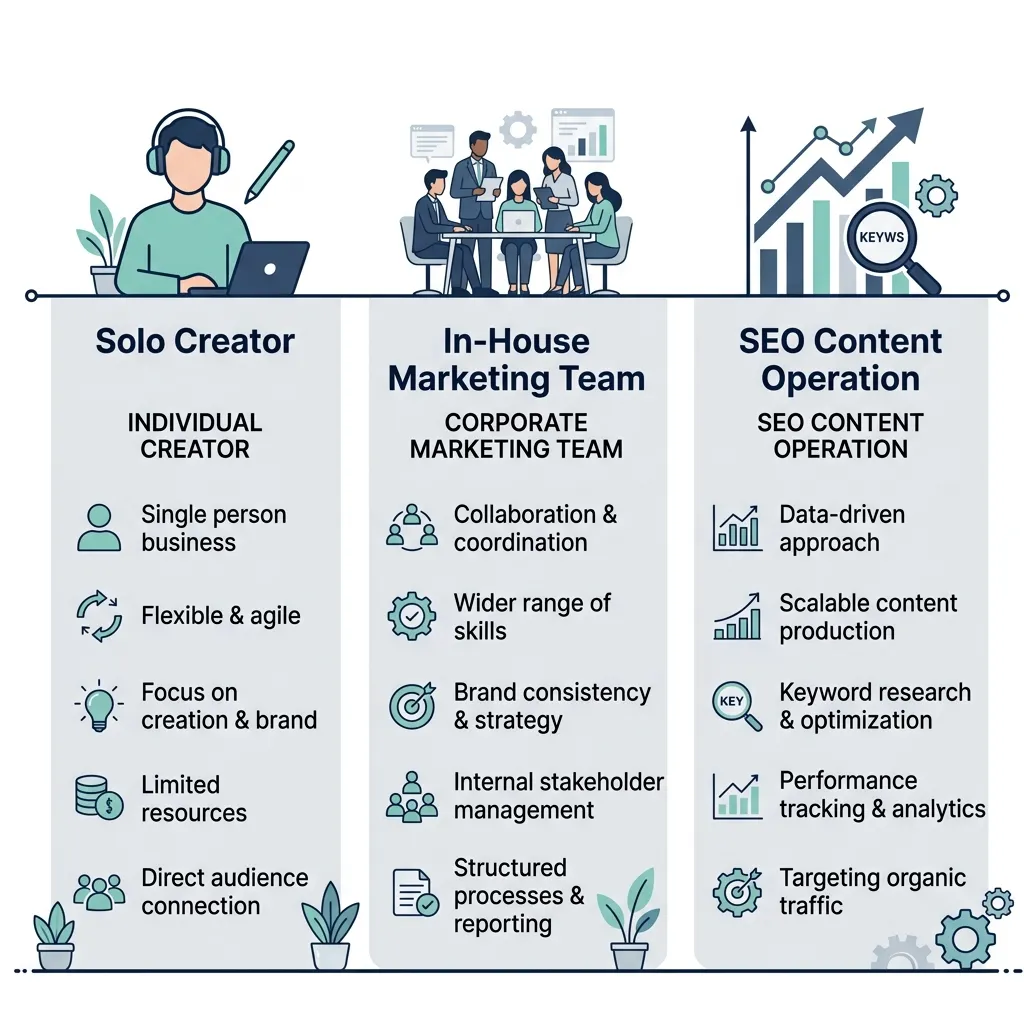
Three user profiles drive most tool decisions:
- Solo creator or blogger: Low volume, tight budget, probably doing everything yourself. Needs low cost, easy setup, minimal tools.
- In-house marketing team: Moderate volume, some specialization by role, needs collaboration features and brand consistency across multiple contributors.
- SEO-focused content operation: Volume-oriented, needs keyword strategy built in, cares deeply about integration between research and writing output.
A solo blogger with a $20/month budget and a team producing 40 pieces a month have almost nothing in common in terms of tool needs. Naming your profile first saves you from evaluating tools that were never built for your situation.
The comparison table below is the shortcut. If you know your profile and content type, scan the table first and read only the sections that match what you’re building.
All Tools at a Glance: The Comparison Table
| Tool | Best For | Free Tier | Starting Price | Key Differentiator | Verdict |
|---|---|---|---|---|---|
| ChatGPT (OpenAI) | General writing, ideation, drafting | Yes — genuinely usable for low volume; GPT-4 gated | ~$20/mo (Plus) | Versatile and widely integrated; no native SEO layer | Best for solo creators who need flexible drafting and can handle their own strategy |
| Claude (Anthropic) | Long-form coherence, nuanced writing | Yes — limited daily usage; good quality ceiling | ~$20/mo (Pro) | Stronger on longer documents and instructed tone than GPT-3.5 | Best for writers who need coherent long-form drafts and are willing to test outputs carefully |
| Jasper AI | High-volume marketing copy, templates | No — trial only, limited to 7 days | ~$49/mo (Creator) | Fast template-driven output; brand voice setup available but takes real configuration time | Best for marketing teams generating ad copy and social content at volume; requires editing investment |
| Copy.ai | Short-form copy, sales and social content | Yes — limited to 2,000 words/mo; effectively a demo | ~$49/mo (Starter) | Strong for short-form formats; workflow automation tools added recently | Best for sales and marketing copy at small scale; limited depth for long-form blog content |
| Rytr | Budget writing assistance, short drafts | Yes — 10,000 characters/mo; genuinely usable for light use | ~$9/mo (Saver) | Lowest entry price in the writing category; output quality reflects it | Best for solo creators with very tight budgets who accept lower output quality |
| Surfer SEO | On-page SEO optimization and content scoring | No — no meaningful free tier | ~$89/mo (Essential) | SERP-based content scoring with real-time keyword guidance in editor | Best for SEO professionals who need content optimization integrated into their writing process |
| Frase | SEO content briefs and optimization | Yes — limited to 1 document; enough to evaluate quality | ~$15/mo (Solo) | Lowest entry price in the SEO tool category; briefing and optimization in one view | Best for solo SEO writers or small teams who need research and optimization without the Surfer price tag |
| Grammarly | Editing, polish, tone consistency | Yes — genuinely usable for grammar and clarity; Premium gated | ~$12/mo (Premium) | Best-in-class editing assistant; not a content generator | Best as a last-pass editing layer for any AI-assisted content workflow |
| Canva AI | Social graphics, presentations, brand visuals | Yes — robust free tier for design basics | ~$15/mo (Pro) | Generative AI design features layered onto Canva’s existing template library | Best for non-designers creating branded visual content without a dedicated design team |
| Descript | Video editing, podcast repurposing, transcription | Yes — limited to 1 hour of transcription; enough to evaluate | ~$24/mo (Hobbyist) | Text-based video editing is genuinely differentiated; steep learning curve | Best for podcast and video creators who want to repurpose long-form content into clips |
| InVideo | AI-generated marketing video, social clips | Yes — watermarked output; usable for evaluation | ~$25/mo (Plus) | Fast text-to-video generation; templates limit creative control | Best for marketing teams needing quick social video without video production experience |
| Synthesia | AI avatar video, corporate training content | No — no usable free tier | ~$29/mo (Starter) | Talking-head avatar video from a script; no camera or recording required | Best for internal training and explainer video at scale; not suited for brand storytelling |
Pricing changes frequently. Verify current tiers directly with each tool before purchasing.
AI Writing and Drafting Tools: Honest Comparisons
These are the tools most people mean when they say “AI content tool” — and where the most confusion lives. They’re not interchangeable. Output quality differences are real, editing time varies significantly, and brand voice handling ranges from strong to surface-level depending on how much setup you’re willing to do.
ChatGPT (OpenAI)
ChatGPT is the most flexible tool in the category. It handles a wide range of writing tasks — blog drafts, outlines, ideation, rewrites — without requiring templates or preset formats. The free tier (GPT-3.5) is genuinely usable for low-volume work, though GPT-4 is where the quality ceiling is meaningfully higher.
The key limitation: it has no native SEO layer. It will write to a keyword if you include it in the prompt, but it isn’t analyzing SERP intent or optimizing for keyword coverage. For ranking content, it’s a drafting tool that needs an SEO tool alongside it.
Pros:
- Flexible — handles almost any writing format with clear prompting
- Free tier is actually usable for low volume
- Widely integrated with third-party tools and APIs
- Good at following detailed style instructions
Cons:
- No native keyword research or SEO optimization
- Output quality varies heavily with prompt quality — requires real prompting skill
- Brand voice consistency requires explicit instruction every session; no persistent memory in base plan
- Will confidently hallucinate facts — every claim needs verification
Claude (Anthropic)
Claude handles longer documents with more coherence than most writing tools in this category. Where ChatGPT can drift or lose track of earlier instructions in long drafts, Claude tends to maintain structural consistency better — which matters for 2,000+ word pieces.
The trade-off is daily usage limits on the free tier and a slightly narrower integration ecosystem than ChatGPT. It’s a strong choice for writers who need well-constructed long-form drafts and are willing to review outputs critically.
Pros:
- Better long-form coherence compared to GPT-3.5
- Follows nuanced tone instructions more reliably
- Handles large context windows — useful for editing existing documents
Cons:
- Daily usage limits on free tier restrict high-volume use
- Fewer native integrations than ChatGPT
- No SEO layer; same gap as ChatGPT for ranking-focused content
Jasper AI
Jasper is built for volume. It generates drafts quickly, handles marketing templates well, and offers brand voice configuration — but that configuration takes real setup time to produce consistent results. Teams that invest in the setup get more predictable output; teams that don’t will find the outputs feel generic.
The pricing reflects an enterprise orientation. At ~$49/month for the entry tier, it’s not a solo blogger tool. The 7-day trial is enough to evaluate output quality, but not enough to test brand voice training seriously.
Pros:
- Fast output at volume with template-driven workflows
- Brand voice feature exists and is more developed than most competitors
- Integrations with Google Docs and CMS platforms
Cons:
- No usable free tier — trial only
- Brand voice requires significant setup to work well; not a plug-and-play feature
- Output quality varies across formats; long-form can feel padded without careful prompting
- Price point assumes team use, not individual creators
Copy.ai
Copy.ai is strongest for short-form formats — social posts, email subject lines, product descriptions, ad variations. It has added workflow automation features that are worth evaluating for marketing teams running repeatable copy tasks. For long-form blog content, it’s not the strongest option in the category.
The free tier caps at 2,000 words per month, which is enough to run one blog post through — effectively a one-shot evaluation, not a working plan.
Pros:
- Good for short-form and sales copy formats
- Workflow automation tools reduce repetitive copy tasks
- Free tier is technically available
Cons:
- 2,000 words/month free tier is a demo, not a working plan
- Limited depth for long-form content
- Output quality on blog content is inconsistent
For teams using any of these tools who want writing that’s built around a keyword strategy rather than generated in isolation, Veldora’s strategy-backed writing approach shows how that layer connects to the writing output.
On brand voice specifically: the generic AI output problem is real across all of these tools. Jasper’s brand voice feature is the most developed of the group, but it still requires ongoing refinement. If your content needs to sound like your brand reliably — not just occasionally — brand voice training as a built-in capability is worth understanding as a selection criterion, not an afterthought.
AI Tools for SEO Content Creation
This category is often lumped in with writing tools. It shouldn’t be. An AI writing tool generates copy. An AI SEO tool analyzes SERP intent, measures keyword coverage, and scores your content against what’s actually ranking — different job, different tool.
For content meant to rank, you typically need both: a writing tool to produce the draft and an SEO tool to optimize it. The question is whether you assemble that stack yourself or use something that connects them.
| Tool | Best For | Pricing | Key Limitation |
|---|---|---|---|
| Surfer SEO | On-page optimization and content scoring for active SEO teams | ~$89/mo (Essential) | No writing generation; scoring is a proxy, not a ranking guarantee |
| Frase | Research, briefing, and optimization for solo and small teams | ~$15/mo (Solo) | Content scoring is less granular than Surfer; keyword data can lag |
| Clearscope | Enterprise content optimization and team collaboration | ~$189/mo (Essentials) | High price point; built for teams, not solo creators |
| Outranking | AI writing + SEO optimization in a single workflow | ~$79/mo (Solo) | Steeper learning curve; optimization quality still benefits from human review |
A few honest notes on this category:
Surfer SEO is the most established tool here. Its content editor gives you real-time keyword density guidance and a content score while you write. The limitation: that score is a proxy for competitive alignment, not a guarantee of performance. Teams treating content scores as ranking predictions will be disappointed.
Frase is the most accessible entry point for SEO-focused content work. At ~$15/month, it gives you SERP analysis, brief generation, and a basic content editor in one interface. For solo SEO writers, it’s the most credible low-cost option in the category.
Clearscope sits at the enterprise end and is priced accordingly. The keyword suggestions and reporting are strong, but the price assumes a team that uses it constantly — it’s hard to justify for small operations.
All of these tools share a limitation worth naming directly: keyword suggestions can lag real-time search data. Seasonal topics, emerging queries, and rapidly shifting SERPs will outpace the tool’s recommendations. Human judgment and fresh SERP checks still matter.
If you’re thinking about SEO content as a long-term asset rather than one-off production, the case for building content that compounds over time is worth reading separately — it’s a different strategic question from which tool to use.
For teams that want keyword research, competitor analysis, and writing output connected in a single pipeline rather than assembled across three separate tools, Veldora’s integrated approach handles that handoff without requiring you to manage the gap manually.
AI Tools for Visual, Video, and Audio Content
Visual and video tools operate in a separate category from writing and SEO tools. Most content teams need at least one from each bucket, but they solve different problems and shouldn’t be evaluated against each other.
| Media Type | Tool | Best For | Free Tier |
|---|---|---|---|
| Design and brand visuals | Canva AI | Social graphics, presentations, branded templates | Yes — robust free tier |
| Design and brand visuals | Adobe Firefly | Generative image creation, brand-safe AI imagery | Yes — limited monthly credits |
| Marketing video | InVideo | Text-to-video, social clips, quick marketing video | Yes — watermarked output |
| Video editing and repurposing | Descript | Podcast clips, video repurposing, transcription-based editing | Yes — 1 hour transcription limit |
| Corporate and training video | Synthesia | AI avatar video from script, no camera required | No — no usable free tier |
| Podcast and audio | Podcastle | Podcast recording, remote interviews, AI-enhanced audio | Yes — limited recording time |
Canva AI layers generative AI features onto an existing design platform most marketing teams already know. The free tier is genuinely usable for basic social graphics and presentations. For teams without a designer, it’s the lowest-friction entry into branded visual content.
Adobe Firefly is the stronger choice when brand-safe image generation matters — it’s trained on licensed content, which reduces intellectual property exposure compared to some other generative image tools. The learning curve is higher and it assumes some familiarity with Adobe’s ecosystem.
Descript is the standout for content repurposing. Its text-based video editing — where you edit a video by editing its transcript — is genuinely differentiated and reduces the technical barrier for non-editors. The learning curve is real, but for podcast creators and video teams repurposing long-form content into clips, the workflow payoff is substantial.
InVideo handles text-to-video quickly and requires no video production experience. The limitation is template dependency — creative control is constrained, and output looks template-driven if you don’t customize carefully.
One note worth stating plainly: Veldora is text and SEO content only. If your team needs visual, video, or audio production tools, those need to come from this category separately.
How to Build a Multi-Tool AI Content Workflow
Knowing which tools exist is one thing. Understanding how they connect in a real production process — and where human involvement is still required — is what most comparisons skip.
Here’s a practical end-to-end workflow:
- Keyword and topic research — Use ChatGPT or Claude for initial ideation and topic clustering. Use Frase or Surfer SEO for SERP analysis and identifying what’s actually ranking for your target queries. This step requires human judgment: keyword selection is a strategy decision, not a tool output.
- Draft generation — Use Jasper, Claude, or ChatGPT depending on volume and brand needs. Provide a clear brief: target keyword, intended audience, tone, and any required structure. The better your input, the less editing the output requires.
- SEO optimization pass — Run the draft through Surfer SEO or Frase for on-page scoring. Check keyword coverage, heading structure, and content length against the SERP benchmark. This is a refinement step, not a replacement for the strategic decisions made in step one.
- Human editing — required, not optional — Review the draft for factual accuracy (AI tools hallucinate), brand voice consistency, original perspective, and any specific claims that need sourcing. This step cannot be skipped without meaningful quality risk.
- Visual assets — Use Canva AI or Adobe Firefly for supporting graphics, social pull-quotes, or featured images. Descript handles video repurposing if the piece has a multimedia component.
- QA and publish — Final review against the pre-publish checklist below. Use Grammarly for last-pass grammar and tone consistency. Publish through your CMS and verify internal links and CTAs are accurate.
Lean stack recommendations by user profile:
- Solo blogger (budget under $30/month): ChatGPT for ideation and drafting, Frase for keyword targeting and brief generation, Grammarly for polish. Total cost: ~$27/month. Requires strong prompting skills and a solid editing habit.
- In-house marketing team: Claude or Jasper for volume drafting, Surfer SEO for optimization, Canva AI for visuals, Grammarly for editing consistency. Budget: $150–$200/month depending on seat counts.
- SEO-focused content operation: Frase or Surfer for strategy and briefs, Claude for drafting, Grammarly for polish, Descript if video repurposing is part of the workflow. Budget: $130–$180/month. Managing hand-offs between tools is the real overhead at this scale.
Assembling that stack yourself works. But it means managing four to six subscriptions, maintaining brand and quality consistency across tools that don’t talk to each other, and doing the strategy layer — keyword selection, competitive analysis, topic prioritization — entirely manually.
For teams where that coordination overhead is the actual problem, Veldora runs the full pipeline — keyword research, competitor gap analysis, brand-matched writing, and multi-step QA — without requiring you to manage the connections yourself. It’s not a writing assistant; it’s a managed content pipeline designed for consistent SEO output.
If you want to see what strategy-backed content looks like before spending anything, generate a real post on the free demo and read it yourself. No credit card. No contracts. Just proof.
One practical note on maintaining brand voice across a multi-tool workflow: when multiple tools are involved and multiple people are editing, brand consistency is the first thing to drift. Building it as a system-level capability — rather than relying on per-session instructions — is what separates consistent output from intermittent output.
AI Content Quality, Google, and What Actually Matters
The question most readers want answered directly: will Google penalize AI-generated content?
Here’s the honest answer: Google’s official guidance on AI-generated content is clear that it evaluates content quality and helpfulness — not the method of production. The helpful content system is designed to reward content that demonstrates experience, expertise, authoritativeness, and trustworthiness (E-E-A-T), regardless of whether a human or a machine drafted it.
The risk is not using AI. The risk is publishing unedited AI output at scale — content that is generic, factually questionable, thin on original perspective, and indistinguishable from ten other articles on the same topic. AI tools make it very easy to produce that kind of content quickly. That’s the actual problem.
On AI detection tools: they are unreliable as signals of content quality. Research on AI content detection tools shows consistent accuracy problems — false positives, false negatives, and sensitivity to minor text changes that have nothing to do with content quality. Trying to “bypass” detection is not a strategy; it’s optimizing for the wrong thing. Quality and originality are the durable answer.
Distinguishing the two risks matters:
- Publishing unedited AI output: Real risk. Generic content, factual errors, no original perspective — this is what the helpful content system is designed to filter.
- Using AI in a quality-controlled workflow: Manageable. AI-assisted content that goes through honest editing, fact-checking, and brand voice refinement is not a penalty risk — it’s a production efficiency decision.
Before You Publish AI-Assisted Content: A Checklist
- Review for factual accuracy — AI tools hallucinate confidently. Verify all specific claims, statistics, and named sources before publishing.
- Edit for brand voice — Generic output needs a human pass to sound like your brand. Session-level tone instructions are not a substitute for genuine editing.
- Add original perspective, examples, or data not present in the AI draft — this is the E-E-A-T gap most AI content leaves open.
- Check that the piece answers the actual search query, not just the keyword — intent alignment is a content quality signal, not just a formatting one.
- Verify internal links and CTAs are accurate and intentional — AI tools will generate plausible-sounding links that don’t exist.
- Do not rely on AI detection bypass tools — quality and originality are the durable strategy; bypassing detection is optimizing for the wrong metric.
- Confirm the content reflects E-E-A-T signals — first-hand experience, named expertise, or credible sourcing elevates AI-assisted drafts meaningfully.
Frequently Asked Questions
What is the best AI tool for writing blog posts?
It depends on your volume and how much editing you want to do. ChatGPT (with GPT-4) is the most flexible option and has a usable free tier for low volume. Claude handles longer, more coherent drafts. Jasper is faster at volume but requires more setup to produce on-brand output and has no free tier. There is no single best option — the right choice is the one that fits your editing tolerance, budget, and content volume.
Are there free AI content creation tools worth using?
A few, with caveats. ChatGPT’s free tier is genuinely usable for drafting and ideation at low volume. Grammarly’s free tier works well as a last-pass editing layer. Canva AI’s free tier is robust for basic design. Frase’s free plan allows one document — enough to evaluate the tool before paying. Most other free tiers cap out at limits that make them effectively demos rather than working plans.
Will Google penalize AI-generated content?
No — not for being AI-generated. Google evaluates content quality and E-E-A-T signals, not production method. The real risk is publishing unedited, generic, low-quality output at scale. AI-assisted content that goes through serious editing, fact-checking, and original perspective addition is not a penalty risk. The Google Search Central guidance on AI content is explicit on this point.
What is the difference between an AI writing tool and an AI SEO tool?
AI writing tools generate copy — they draft sentences, paragraphs, and articles based on your prompts. AI SEO tools analyze search intent, measure keyword coverage, and score your content against what’s actually ranking. They solve different problems. For content meant to rank in search, you typically need both: a writing tool for the draft and an SEO tool for optimization. Using only a writing tool produces copy, not necessarily ranking content.
Which AI content tool is best for small teams or solo creators?
For solo creators with limited budgets: ChatGPT for drafting, Frase for SEO research, and Grammarly for editing adds up to under $30/month and covers the full text workflow. For small marketing teams needing more volume and brand consistency, Claude or Jasper for drafting paired with Surfer SEO for optimization is a more capable stack, though at higher cost. The constraint for small teams is usually coordination overhead, not tool availability.
How do I know which AI content tool fits my workflow?
Start with the four questions from the decision framework: what content type you’re producing, your monthly budget, how usable the free tier actually is, and whether it integrates with tools you already use. Then match against the comparison table. Most tools offer trials — use them to generate content similar to what you actually publish, then evaluate editing time required rather than raw output quality. The tool that produces the most usable first draft for your content type, at your budget, is the right tool regardless of what any ranked list says.
← Back to all posts