AI-Driven Content Creation Tools (2026): Compared by Use Case, Workflow Stage, and Budget
By Veldora AI · July 15, 2026

AI-Driven Content Creation Tools: An Honest Comparison by Use Case and Workflow Stage
Most AI content tool roundups follow the same pattern: a numbered list, a “best for” label on every entry, and no framework to help you decide. You finish reading and still don’t know which tool to pick because the comparison criteria were never made explicit.
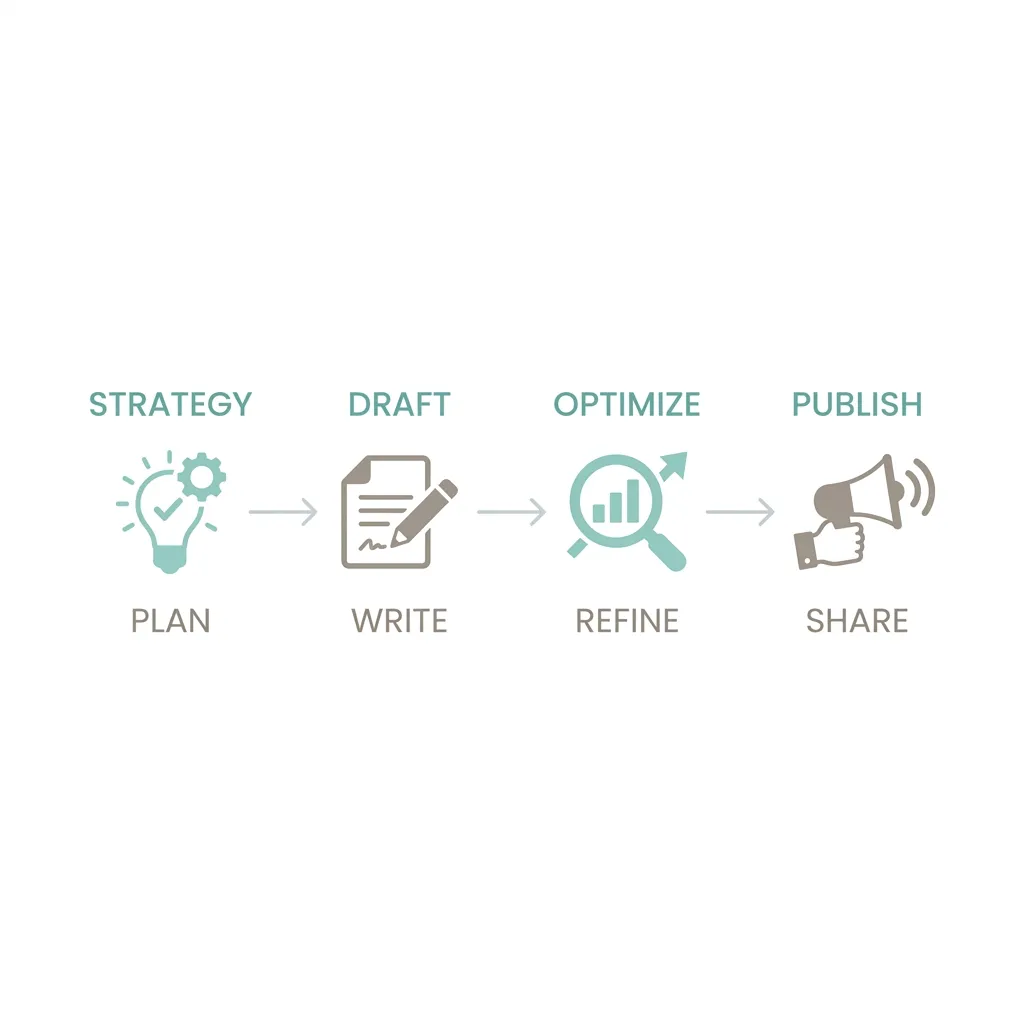
This guide takes a different approach. Tools are organized by where they fit in a content workflow — strategy, drafting, SEO optimization, visual creation — and evaluated against consistent criteria. Every recommendation includes a genuine limitation, and no tool gets a “best” label without a reason. The goal is a decision you can make with confidence, not a list to bookmark and forget.
Key Takeaways
- The right AI content tool depends on your workflow stage, not just your budget or feature count.
- Most AI writing tools are strong for drafting but weak on strategy — know which stage you need help with before you pick a tool.
- No single tool handles the full content lifecycle well. The most effective setups combine two or three tools with a defined handoff process.
- Every AI writing tool produces output that requires human review. Teams that treat AI as a first-draft collaborator get better results than those who treat it as a publishing machine.
- Free tiers vary widely in what they actually deliver — some are genuinely useful for evaluation; others require a paid plan before the tool is practical.
How to Evaluate Any AI Content Creation Tool (Before You Read a Single Review)
Before comparing specific tools, it helps to agree on what you’re comparing them against. Most roundups skip this step — which is why they end up assigning “best for” labels that feel arbitrary rather than earned. According to Social Media Examiner’s 2025 AI Marketing Industry Report, AI tool adoption among content marketers has grown significantly — making clear evaluation criteria more important than ever when choosing the right tool for your workflow.
The seven criteria below apply to every tool category covered in this article. If a tool scores poorly on the two or three criteria that matter most for your situation, the feature list doesn’t save it.
| Evaluation Criterion | What to Ask | Why It Matters |
|---|---|---|
| Content format fit | Does this tool handle your primary format — long-form SEO, social copy, video scripts, email? | A tool optimized for short-form ad copy will produce weak long-form drafts, regardless of what the marketing page says. |
| Workflow stage fit | Is the tool built for ideation, drafting, optimization, or distribution? | Using an optimization tool as a writing tool (or vice versa) creates friction and inconsistent output. |
| Team size alignment | Does the tool’s collaboration features, permissions, and governance match a solo user, small team, or agency? | Enterprise features add cost and complexity a solo creator doesn’t need; consumer tools break down at team scale. |
| Pricing reality | What do you actually get at the free tier vs. the first paid plan? | Free tiers that cap output after a few hundred words are demos, not viable working tools. Know the real threshold. |
| Brand voice controls | Does the tool support style guides, tone inputs, or brand memory across sessions? | Output without brand context defaults to generic — which creates more editing work, not less. See how AI tools preserve your brand tone for what meaningful controls look like. |
| Output quality and accuracy | What is the hallucination risk, and how much human review does the output realistically require? | No AI writing tool produces publish-ready copy. The question is how much cleanup is required per output. |
| Integration depth | Does it connect natively to your CMS, SEO tool, Google Docs, or social platforms? | A tool that requires manual copy-paste at every step adds friction that compounds across a content operation. |
A solo creator who needs help with long-form SEO drafts has entirely different requirements from a marketing team that needs to repurpose articles into social content. Applying these criteria to your actual situation — before reading a single review — prevents the most common tool selection mistake: choosing a tool because it’s popular rather than because it fits your workflow.
AI Tools for Content Strategy and Ideation
Most teams skip from “we need content” to “let’s start drafting” without a strategy stage in between. That’s why so much AI content sounds competent in isolation but ranks nowhere — there was no validated demand behind it.
ChatGPT, Claude, and Perplexity are the most widely used tools at the ideation stage, and they’re genuinely useful for surfacing topic angles, audience questions, and content structure ideas. Claude tends to produce more nuanced, well-structured ideation output than ChatGPT for longer briefs; Perplexity is distinctly useful because it pulls from live web sources, making it better for trend-adjacent research.
The honest limitation: any general-purpose LLM used for ideation alone can surface plausible-sounding topics that have zero search demand or competitive viability. A prompt-based ideation session in ChatGPT might produce twenty interesting angles — and none of them may represent a keyword cluster worth targeting. Those ideas still need validation against live keyword data before they become a content brief.
The practical distinction is between using a standalone LLM for brainstorming versus using a platform that integrates strategy, keyword research, and brief creation as a connected workflow. The former is fast and flexible; the latter reduces the handoff errors that happen when ideation and execution live in separate tools. AI writing grounded in content strategy works differently from dropping a topic idea into a chat interface — the brief is built from live research, not inference.
AI Tools for Writing and Drafting: A Direct Comparison
This is where most roundups spend all their energy — and still manage to be unhelpful. The table below applies the same criteria to every major writing tool so the comparison is actually comparable.
| Tool | Best For | Free Tier | Paid Pricing (from) | Brand Voice Support | Long-Form Strength | Integration Depth | Key Limitation |
|---|---|---|---|---|---|---|---|
| Jasper | Marketing teams producing templated short-form and campaign content at volume | No true free tier; 7-day trial only | ~$49/mo (Creator) | Yes — Brand Voice feature with style input | Moderate; structured but can feel formulaic at 1,500+ words | Native Surfer SEO integration; Google Docs, CMS via Zapier | Expensive for solo creators; long-form output trends generic without heavy prompting |
| ChatGPT (GPT-4o) | Solo creators and teams who prompt well and edit heavily; broad use cases | Yes — GPT-3.5 free; GPT-4o limited free | $20/mo (Plus) | Partial — custom instructions help but no persistent brand memory on free tier | Strong with detailed prompts; no built-in structure enforcement | API integrations widely available; no native CMS connection | Hallucination risk is real; no SEO layer built in; output quality is highly prompt-dependent |
| Claude (Anthropic) | Long-form drafting, nuanced tone matching, complex briefs | Yes — limited message volume | $20/mo (Pro) | Partial — responds well to tone examples in-context; no dedicated brand memory feature | Best-in-class for coherent long-form drafts among chat-based tools | Limited native integrations; API available | No dedicated SEO features; context window is large but doesn’t persist across sessions |
| Copy.ai | Short-form marketing copy — ads, email subject lines, product descriptions | Yes — limited to 2,000 words/mo | ~$49/mo (Starter) | Partial — workflow inputs support tone guidance | Weak; not designed for articles or long-form content | Salesforce, HubSpot, and Zapier integrations; no native CMS | Word-count cap makes free tier impractical; weak outside short-form use cases |
| Notion AI | Teams already using Notion for project management and documentation | Yes — included for Notion users; limited volume | ~$10/mo add-on | Partial — inherits context from surrounding Notion content | Adequate for internal docs and medium-length posts; not suited for SEO-optimized long-form | Native to Notion workspace; no external CMS integration | Only useful if your team already lives in Notion; weak SEO capability |
| Writesonic | SMBs and agencies needing SEO-oriented article drafts at mid-range pricing | Yes — limited to ~10,000 words/mo | ~$20/mo (Individual) | Yes — brand voice input available | Good for SEO article drafts; Surfer SEO integration helps | Surfer SEO, WordPress, Zapier | Output requires more editing than Claude or ChatGPT for tone consistency; brand voice controls are surface-level |
For solo creators on a budget: Claude’s free tier produces the most usable long-form output without a paid plan, though message limits will constrain daily volume. ChatGPT’s free tier is functional but inconsistent — the quality gap between GPT-3.5 and GPT-4o is significant enough that the $20/mo upgrade is often justified.
For small marketing teams: Jasper or Writesonic with a Surfer SEO integration gives you the template structure and SEO guidance most teams need without building a custom prompt library from scratch. Jasper’s pricing is the main friction point for teams under five people.
For SMBs and agencies needing consistent output at scale: The writing-tool-plus-SEO-tool stack breaks down without a defined process for managing it. This is where an integrated, strategy-first content creation pipeline starts to make more sense than assembling individual tools — the coordination overhead across tools is real and scales poorly.
Claude vs. Jasper for a 1,500-word SEO article: Claude tends to produce more coherent, nuanced prose with better structural logic when given a detailed brief. Jasper produces faster, more templated output that fits tighter editorial guidelines — useful when consistency matters more than originality. Neither produces publish-ready copy. Both require human review for factual accuracy.
AI Tools for SEO Optimization
SEO optimization tools are a distinct category from writing tools. Surfer SEO, NeuronWriter, and Clearscope do not write your content — they analyze top-ranking pages for a target keyword and tell you what topics, terms, and structures your content needs to compete. Pair them with a writing tool; don’t expect them to replace one.
Google’s own guidance on AI-generated content makes the standard clear: content quality and usefulness are what matter, not whether AI was involved in production. SEO optimization tools help close the quality gap by grounding your content in what’s actually working on the SERP — but a high content score on Surfer doesn’t mean the article is good, just that it covers the expected topics.
The practical workflow: write first, optimize second. Use the SEO tool’s output as editorial guidance — what topics you may have undertreated, what term clusters are underrepresented — not as a mechanical checklist to stuff keywords. SEO content that compounds over time comes from consistent quality standards, not from hitting an optimization score and moving on.
Surfer SEO
Pros: Real-time content scoring against top-ranking pages; integrated outline builder; strong NLP term suggestions; direct integration with Google Docs and Jasper. Cons: Monthly pricing (~$89/mo for basic) is steep for solo creators; over-reliance on the score can produce keyword-heavy content that reads unnaturally; no free tier.
NeuronWriter
Pros: More affordable entry point (~$23/mo); solid NLP-based content recommendations; internal linking suggestions included; available as a lifetime deal on AppSumo periodically. Cons: Interface is less polished than Surfer; SERP analysis depth is slightly weaker; smaller user community means fewer integrations and tutorials.
Clearscope
Pros: Clean, minimal interface; excellent for editorial teams that need straightforward term grading without complexity; strong for agencies managing multiple client verticals. Cons: Expensive at the team tier (~$170/mo+); pricing model charges per report, which adds up at volume; no built-in writing interface — purely an optimization layer.
AI Tools for Visual, Video, and Multimedia Content
AI-driven content creation extends well beyond writing. The tools in this category serve real use cases — but the gap between what they can do and how they’re often marketed is wide enough to address directly.
AI Image Tools
- Canva AI is the practical choice for social graphics, presentation assets, and on-brand image variants. It works within Canva’s design environment, which most marketers already use. The brand kit integration makes it genuinely useful for maintaining visual consistency.
- DALL-E (via ChatGPT) is strong for concept illustration and one-off image generation. It is not a substitute for brand photography or product imagery — the output requires careful prompting and often still needs post-processing.
- Adobe Firefly is the best option for teams with an existing Adobe Creative Cloud stack who need generative fill, background replacement, or image extension. Copyright considerations are more cleanly handled here than with most image generators — Adobe trains on licensed content.
AI Video Tools
- Opus Clip is one of the most genuinely time-saving tools in this category for a realistic use case: take a 30-minute recorded interview or webinar and let Opus Clip identify and clip the five to eight most shareable moments for short-form social. The output still needs review, but the time savings versus manual clipping are real.
- InVideo covers script-to-video generation and template-based social video — useful for teams that need a consistent volume of short explainer or promotional clips without video production resources.
- Synthesia is the synthetic presenter category: AI avatars delivering scripted content. The use case is narrow — product demos, internal training, localized video at scale — and the uncanny valley effect is real. When human presence matters, human production is still preferable.
Note on Veldora’s scope: Veldora is an SEO content pipeline. It does not cover visual or video content creation — the tools above serve use cases Veldora is not designed for.
| Tool | Best Content Format | Team Type | Free Tier | Key Limitation |
|---|---|---|---|---|
| Canva AI | Social graphics, presentation assets, branded image variants | Solo creators, small teams | Yes — generous free tier | Limited for original illustration; requires existing design assets to work well |
| DALL-E | Concept art, one-off illustrations, blog header images | Solo creators | Yes — limited generations via ChatGPT free tier | Not suitable for brand photography or product imagery; inconsistent style across generations |
| Adobe Firefly | Photo editing, generative fill, brand-consistent image extension | SMBs and agencies with Adobe CC | Yes — limited credits | Requires Adobe CC subscription for full value; generation quality varies by prompt complexity |
| Opus Clip | Repurposing long-form video to short social clips | Small teams, solo creators with recorded content | Yes — limited clips/mo | Dependent on source video quality; AI clip selection sometimes misses context |
| InVideo | Short explainer videos, social video from scripts | Solo creators, small marketing teams | Yes — with watermark | Watermarked output on free tier; template-driven output can feel generic |
| Synthesia | Training videos, product demos, localized video at scale | SMBs and agencies | No true free tier; demo only | Synthetic presenter effect is noticeable; not suitable for audience-facing brand content |
Building an AI Content Workflow: How to Stack Tools Across the Full Content Lifecycle
The tool you choose matters less than the workflow you build around it. AI tools used in isolation — without defined inputs, clear handoffs, and human review built in — tend to produce content that neither ranks nor reads well.
Here is a practical seven-step workflow that names tools at each stage and makes the handoffs explicit:
-
Audience research and topic identification — Use ChatGPT, Claude, or Perplexity to surface audience questions, topic angles, and content gaps. Handoff: a prioritized list of topic angles ready for keyword validation.
-
Keyword research and competitive gap analysis — Run topic angles through a dedicated SEO tool (Surfer SEO, Ahrefs, Semrush) or an integrated platform to identify which angles have search demand and competitive viability. Handoff: a target keyword and a competitive SERP snapshot.
-
Content brief creation — Build a structured brief using your AI writing tool or an integrated platform that connects keyword data to brief structure. Handoff: a completed brief with target keyword, audience, structure, and word count. For teams that want briefing and drafting in one connected system, an integrated strategy-first pipeline handles this stage as part of a full workflow rather than a separate tool handoff.
-
Draft creation — Use an AI writing tool matched to your format and brand voice needs (Claude for nuanced long-form, Jasper for templated volume, Writesonic for SEO-article structure). Handoff: a complete first draft, clearly flagged as requiring human review.
-
SEO optimization and scoring — Run the draft through Surfer SEO, NeuronWriter, or Clearscope. Treat the output as editorial guidance — fill gaps in topic coverage, not a keyword-stuffing prompt. Handoff: a revised draft with content score above threshold and editorial notes addressed.
-
Visual and multimedia creation — Create supporting assets (Canva AI for social graphics, Opus Clip for video clips if applicable) matched to the distribution channel. Handoff: formatted assets ready for the publishing platform.
-
Human review, fact-check, and brand voice QA — A human editor reviews for factual accuracy, brand voice consistency, and any AI-generated claims that require verification. This step is not optional. Handoff: a publish-ready article with editor sign-off.
Three common workflow mistakes that undercut results:
- Starting with drafting before the brief and keyword strategy are complete — the draft ends up answering a question nobody was searching for.
- Skipping human review after AI output — hallucinations and brand voice drift accumulate silently and create long-term credibility risk.
- Adding tools without a defined process for how they connect — tool sprawl creates handoff gaps that cost more time than the tools save.
Where AI Content Tools Fall Short — and What That Means for Your Workflow
Every tool on this list requires human oversight to produce content worth publishing. The teams that use AI most effectively treat it as a capable first-draft collaborator — not a publishing machine they can walk away from.
Where human judgment is still essential:
- Subject-matter expertise that LLMs cannot replicate: proprietary insights, firsthand experience, original research, and the kind of opinion that comes from years in a specific industry.
- Audience empathy: knowing what will resonate with a specific reader at a specific moment in their decision process — not what a training dataset suggests “performs well.”
- Brand reputation decisions: what to publish, what to decline, what positions to take publicly. These are not prompt-engineering problems.
Output quality risks that apply across all AI writing tools:
- Hallucination is a real and underacknowledged risk. An AI writing tool will confidently cite a study that does not exist, attribute a quote to the wrong person, or state a statistic with no source. A brief human fact-check step — even five minutes per article — is non-negotiable, not optional.
- Content homogenization: when every team is using the same tools on the same SERP data, outputs converge. AI-generated content trained on existing web content tends to reproduce existing patterns rather than create genuinely differentiated perspectives.
- Training data lag: LLMs trained on historical data cannot reflect current events, recent studies, or real-time market shifts without retrieval augmentation.
On AI content and Google: Google’s guidance is clear — content quality and usefulness are what matter. Low-effort AI content creates long-term SEO risk not because it was AI-generated, but because it tends to be thin, derivative, and interchangeable. Detection is a secondary concern; quality is the primary one.
AI Content Workflow Mistakes to Avoid Before You Commit
- Choosing a tool based on a “best for” label without checking whether the evaluation criteria match your use case
- Treating the free tier output as representative of what you’ll get on a paid plan — test the actual paid tier before committing
- Starting with drafting before you have a validated keyword target and a real brief
- Assuming brand voice settings eliminate the need for human editorial review
- Using an SEO optimization score as a proxy for content quality — a high score and a useful article are not the same thing
- Adding a new tool without defining how it connects to the tools already in your workflow
- Skipping the fact-check step because “it probably won’t hallucinate on this topic”
- Publishing AI-generated content without a named human editor responsible for accuracy and brand voice sign-off
Building multi-step QA into the content pipeline is one structural response to these risks — rather than treating review as an afterthought, it becomes part of the production process by design.
Is an Integrated Pipeline Worth Considering?
For teams evaluating whether to assemble individual tools or use a more managed solution: the coordination cost of a multi-tool stack is real. Briefing, drafting, optimization, and QA across separate tools requires someone to own the process — and that overhead scales with output volume.
Veldora runs the full SEO content pipeline — keyword research, competitor analysis, brand-matched writing, and multi-step QA — as one integrated system. It is not a writing assistant and doesn’t belong in the same category as Jasper or ChatGPT. It’s closer to a managed content operation built on 12 years of SEO agency experience, designed specifically for SMBs and marketing agencies that need consistent, strategy-backed output without the overhead of an agency retainer.
The strategy and content plan are readable and transparent — you’re not asked to take results on faith. Generate a real, strategy-backed post on the free demo and read it yourself — before you spend a dollar. No credit card. No contracts. Just proof.
Frequently Asked Questions
What is the best AI content creation tool for a solo creator on a budget?
Claude’s free tier produces the most usable long-form output without payment. ChatGPT’s free tier is functional but inconsistent — the GPT-4o upgrade at $20/month is often worth it for quality. Writesonic’s $20/month Individual plan is the best value if you need SEO-oriented articles with built-in structure guidance.
Can AI-generated content rank on Google?
Yes, if it meets Google’s quality and usefulness standards. Google evaluates content on helpfulness and expertise, not production method. The risk with AI content isn’t detection — it’s publishing thin, derivative output that fails on quality. High-effort AI content with human review and genuine expertise can rank competitively.
How do I maintain my brand voice when using AI content tools?
Tools vary significantly in brand voice support. Claude and ChatGPT respond well to tone examples within the prompt but don’t persist brand memory across sessions. Jasper and Writesonic offer dedicated brand voice inputs. For consistent output at scale, look for platforms with brand voice controls built into the workflow, not just session-level prompting.
What is the difference between an AI writing tool and an AI content automation platform?
An AI writing tool generates text based on a prompt — you provide the brief, the keyword, the structure, and the context. An AI content automation platform integrates strategy, research, briefing, and writing as a connected workflow. The distinction matters when coordination overhead across tools becomes the bottleneck in your content operation.
Which AI tools work best together for a full content workflow?
A practical small-team stack: ChatGPT or Claude for brief development and ideation, Surfer SEO or NeuronWriter for optimization guidance, Canva AI for social graphics, and a human editor for final review. The specific tools matter less than having a defined handoff process between each stage.
How do I evaluate an AI content tool before committing to a paid plan?
Test the free tier against your actual primary use case — not a demo prompt. Check whether the free tier output quality reflects the paid tier or is artificially limited. Run a sample from your typical workflow: a real brief, your brand tone, your target keyword. If the tool can’t produce usable output in that test, the paid plan rarely fixes it.
Where do AI content tools still require human review and judgment?
Fact-checking is non-negotiable — AI tools hallucinate confidently and regularly. Beyond accuracy, human judgment is essential for subject-matter depth, brand reputation decisions, audience empathy, and anything requiring original insight or proprietary knowledge. Treat AI output as a capable first draft, not a finished product.
← Back to all posts