Best AI Content Creation Tools in 2026: Build a Stack That Works
By Veldora AI · June 25, 2026 · Updated June 25, 2026

Best AI Content Creation Tools in 2026: How to Build a Stack That Actually Works
You have already read the listicles. Fifteen tools, each one described as “powerful” and “versatile,” with limitations buried in fine print or omitted entirely. You closed the tab no closer to knowing what to actually use.
That is the real problem — not a shortage of AI content tools, but a shortage of honest guidance on how to combine them. The question is not which single tool is best. It is which combination of tools fits your content format, your team size, and where you are in the production process.
This guide gives you an evaluation rubric you can apply to any tool, honest tradeoffs for the tools that actually matter, and three ready-to-use stack recommendations by audience segment. If you want the quick reference, the comparison table is two sections down. If you want the full reasoning, read straight through.
Key Takeaways
- The right AI content stack depends on your workflow stage and team size — not just content type. A solo blogger and an agency content team have fundamentally different requirements.
- Free tiers are useful for evaluating tools. They are rarely sufficient for consistent production output.
- Every AI-generated draft requires human review. Hallucination — where AI confidently fabricates facts, names, and statistics — is a structural characteristic of current language models, not a fixable bug.
- Brand voice consistency requires human editorial oversight regardless of which tool you use. Configuration helps; it does not solve the problem entirely.
- The goal is the minimum set of tools that covers your workflow needs — not the most tools. Operational complexity cancels out productivity gains quickly.
How to Choose AI Content Tools: An Evaluation Framework
Every tool review in this article was made against the same six criteria. Reading that rubric first means you can apply it yourself to any tool not covered here — and you can hold these recommendations accountable to a visible standard.
The Evaluation Rubric
| Criterion | What to Look For |
|---|---|
| Content Type Fit | Does the tool handle your specific format well — long-form blog, social copy, video script, email, podcast? Not all tools cover all formats at equal quality. |
| Cost Structure | Is there a genuinely useful free tier for evaluation? How does pricing scale as output volume or team size grows? Watch for opaque enterprise tiers. |
| Learning Curve | How long before a non-technical user produces usable output? Some tools require significant prompt engineering or configuration before they deliver consistent results. |
| Brand Voice Customization | Can the tool be trained or configured to match a specific voice and tone? How much does that configuration require upfront, and does it hold across sessions? |
| Workflow Stage Fit | Is this tool best used at ideation, drafting, SEO optimization, repurposing, or publishing? Inserting a tool at the wrong stage degrades output quality. |
| Output Quality Ceiling | What does the tool produce at its best, and how much editing does that output require before it is publish-ready? |
The Workflow Stage Framework
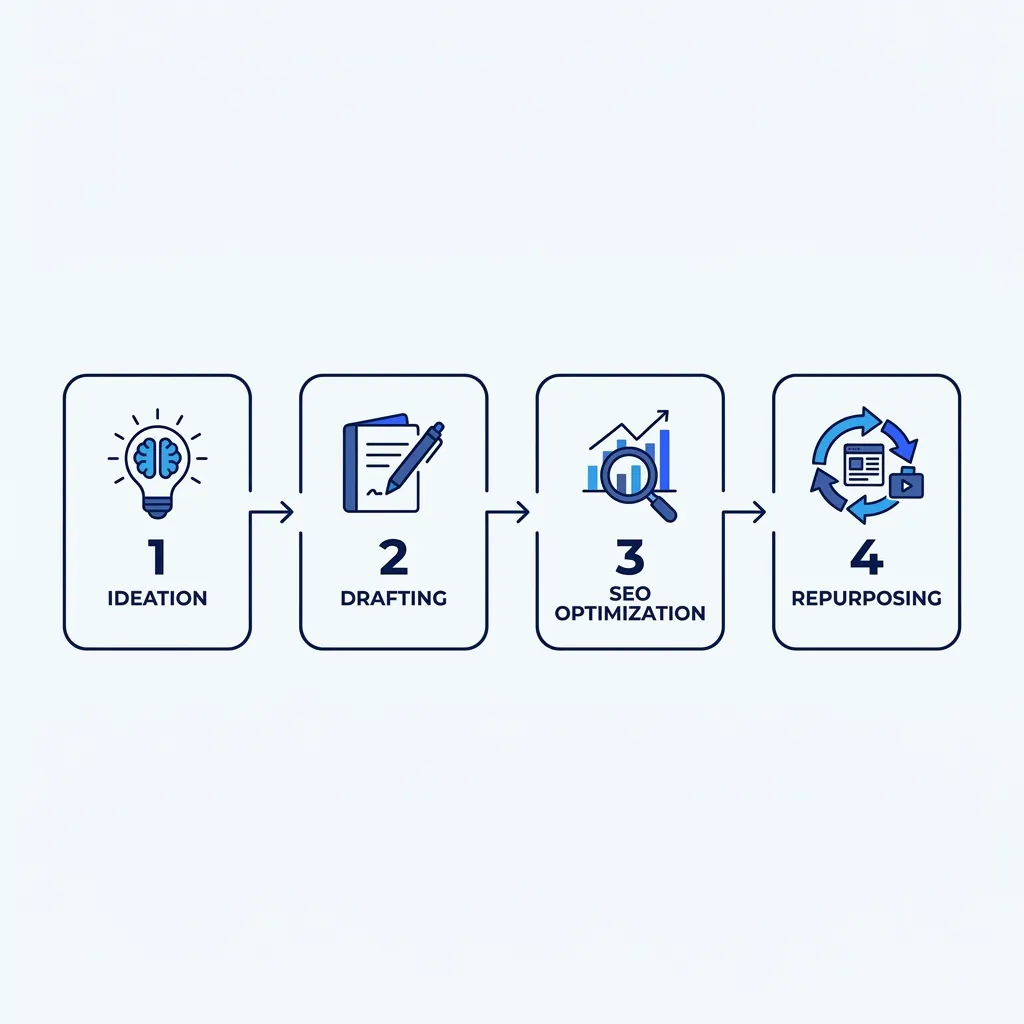
Most content workflows need two to four tools that serve different stages — not one all-in-one solution. Here is where each tool category belongs:
- Ideation — AI writing assistants (ChatGPT with a research prompt, Frase AI for SERP-driven topic mapping)
- Drafting — Long-form writing tools (ChatGPT, Claude, Jasper)
- SEO Optimization — Content scoring and brief tools (Surfer SEO, Frase AI)
- Visual Creation — Image generation and design (Canva, Midjourney, Adobe Firefly)
- Repurposing — Video, audio, and format conversion (Descript, Lumen5, HeyGen, ElevenLabs)
- QA and Brand Review — Human editorial layer (always — no tool replaces this step)
This is the structure that separates a deliberate content stack from a pile of subscriptions. The sections below follow this sequence. The three audience segments this guide addresses throughout: solo creators and freelancers, small business content teams, and agencies.
For any of these tools to deliver consistent results, they need to operate inside a deliberate content strategy — not in isolation. That distinction matters more than which specific tool you choose. See how strategy-grounded AI writing changes what the output looks like.
Master Comparison Table: All Primary Tools at a Glance
Pricing data below was last verified in early 2026 — see an independent Surfer SEO review for current rate confirmation. Pricing in this market changes frequently — confirm current rates directly with each vendor before budgeting.
| Tool | Best Content Type | Best For | Free Plan? | Starting Paid Price | Learning Curve | Key Limitation |
|---|---|---|---|---|---|---|
| ChatGPT (OpenAI) | Long-form, social, email, scripts | Solo creators, generalists | Yes (GPT-3.5) | ~$20/mo (Plus) | Low–Medium | Output quality is highly prompt-dependent; generic briefs produce generic output |
| Claude (Anthropic) | Long-form, research-heavy content | Writers needing context depth | Yes (limited) | ~$20/mo (Pro) | Low | No live URL browsing in base tiers; less widely integrated than ChatGPT |
| Jasper AI | Multi-channel branded content | Content teams, agencies | No | ~$49/mo (Creator) | Medium | Cost climbs fast with team seats; requires upfront Brand Voice configuration |
| Surfer SEO | SEO content auditing and optimization | Content teams focused on search | No | ~$89/mo | Medium | Keyword suggestions can push toward over-optimization if followed mechanically |
| Frase AI | Content briefs and SERP research | SEO strategists, content planners | Limited trial | ~$45/mo | Medium | AI writing component is weaker than dedicated writing tools |
| Canva | Social graphics, presentations, short video | Non-designers, small teams | Yes | ~$15/mo (Pro) | Low | Limited originality for brand differentiation; templates are widely shared |
| Midjourney | Custom image generation | Brands needing original visuals | No | ~$10/mo (Basic) | High | Requires prompt engineering; copyright ambiguity around training data |
| Adobe Firefly | AI image generation within Adobe ecosystem | Adobe Creative Cloud users | Limited | Included in CC plans | Medium | Most useful only if already in the Adobe ecosystem |
| Descript | Podcast and video editing, repurposing | Content teams with existing audio/video | Yes (limited) | ~$24/mo | Medium | Source material quality directly determines output quality |
| Lumen5 | Blog-to-video conversion | Marketers repurposing written content | Yes (watermarked) | ~$29/mo | Low | Output style is templated; limited customization for brand differentiation |
| HeyGen | AI avatar video creation | Teams producing video without camera | Limited trial | ~$29/mo | Medium | AI-generated avatar quality is detectable to careful viewers |
| ElevenLabs | Voice synthesis, audio content | Podcasters, audio content creators | Yes (limited) | ~$5/mo (Starter) | Low–Medium | Voice cloning raises ethical and brand-risk considerations if misused |
AI Writing Tools for Long-Form Content: ChatGPT vs. Claude vs. Jasper
These three tools dominate the writing layer of most content stacks. They are not interchangeable. Choosing the wrong one for your use case does not mean AI writing tools do not work — it means the fit was wrong.
ChatGPT is the most versatile writing tool on this list — and the most prompt-dependent. Give it a vague brief and you will get generic output that reads like every other AI post on the internet. Give it a detailed prompt that includes tone, audience, structure, angle, and a few examples of what good looks like, and it can produce a solid first draft in minutes. The free tier (GPT-3.5) is genuinely useful for testing. GPT-4o is meaningfully better for long-form structure and nuance. For a solo blogger who is willing to invest in prompt quality, ChatGPT with a strong prompt template is often all the writing tool they need.
Claude is the strongest option for research-heavy, context-intensive long-form content. It handles longer documents better than ChatGPT — multi-section drafts stay coherent further into the piece, and it tends to follow complex structural instructions more reliably. The limitation in base tiers: no live URL browsing, which matters if you need the tool to reference current sources inline. Claude sits between ChatGPT and Jasper for teams that need depth without the brand-configuration overhead.
Jasper is built for teams producing a high volume of branded content across multiple channels. The Brand Voice feature works — but it requires meaningful upfront configuration time, and the output consistency depends on how thoroughly that configuration was done. For a team producing 20+ branded pieces per month across blog, email, and social, Jasper’s configuration investment pays off. For a solo creator or a small team doing occasional content, the cost-per-seat structure makes it hard to justify. Verify current pricing directly; it has changed multiple times and the published rate may not reflect your team’s actual plan cost.
ChatGPT vs. Claude vs. Jasper: Head-to-Head
| Criteria | ChatGPT | Claude | Jasper |
|---|---|---|---|
| Output Quality Ceiling | High — varies with prompt quality | High — strong on long-form coherence | High — strongest with Brand Voice configured |
| Free Tier | Yes (GPT-3.5) | Yes (limited) | No |
| Starting Paid Price | ~$20/mo | ~$20/mo | ~$49/mo |
| Brand Voice Capability | Limited (prompt-dependent) | Limited (prompt-dependent) | Built-in configuration layer |
| Best Use Case | Fast drafts across any format | Research-heavy long-form | Multi-channel branded content at volume |
| Key Limitation | Output quality tied to prompt skill | No live browsing in base tiers | Cost scales quickly with team size |
The real decision point: if you are producing content alone and you can write a strong brief, start with ChatGPT. If you are doing research-intensive long-form and need structural coherence across a long document, test Claude. If you are managing a team and brand consistency across channels is the priority, evaluate Jasper — but run the pricing against your actual headcount before committing.
Maintaining a consistent brand voice is one of the harder problems in any AI writing workflow. It is worth understanding what keeping AI output on-brand actually requires in practice before you configure any tool.
AI Tools for SEO Content Optimization
SEO tools are a distinct workflow layer. They do not replace writing tools — they supplement them. Their value depends almost entirely on where you insert them in the production process.
The right sequence matters:
- Write the draft first — in ChatGPT, Claude, or Jasper — optimized for a human reader
- Run the draft through an SEO tool to identify structural and keyword gaps
- Revise based on suggestions that improve clarity and coverage, not just keyword density
- Do not let the SEO tool drive the initial draft
A content team that writes first in Claude and then runs the draft through Surfer SEO for optimization will consistently produce better output than one that uses Surfer’s AI writing feature to generate the initial draft. The AI-written drafts in SEO tools are built around keyword data, not narrative logic — and that shows in the output.
Surfer SEO is best for post-draft content scoring and SERP alignment. The content editor grades a draft against top-ranking pages and suggests structural changes, heading coverage, and keyword use. The limitation: keyword suggestions are not always semantically meaningful, and following them mechanically can push toward over-optimization — content that reads as written for an algorithm rather than a person. Use it as an audit tool, not a writing directive.
Frase AI is strongest at the research and brief-generation stage — before drafting begins. It aggregates SERP data to surface subtopics, questions to cover, and content gaps against competitors. That brief-building function is genuinely useful. The AI writing component in Frase is weaker than dedicated writing tools, so treat Frase as a research and planning layer, not a drafting tool.
Pricing for both tools scales with usage volume. Verify current pricing before assuming either fits your team’s budget — both have adjusted rates in the past year. For how SEO optimization tools fit into a longer-term content investment, see how consistent content builds search equity over time rather than producing one-off wins.
AI Tools for Visual Content, Video, and Repurposing
Visual Creation Tools
Canva is the right choice for speed, templates, and brand consistency for non-designers. If your team needs to produce social graphics, presentation decks, or short video clips at volume without a design hire, Canva’s free tier covers a lot. The limitation: templates are widely shared across the platform, so visual differentiation is limited. Your brand will look like other brands using the same templates unless you invest in custom assets.
Midjourney produces higher-quality, more original imagery than most AI image tools — but it requires real prompt engineering to get consistent results, and style consistency across a campaign takes significant iteration. The copyright question around AI-generated imagery from training data is unresolved in most jurisdictions. If that exposure matters to your business, factor it into the decision.
Adobe Firefly is the strongest option for teams already in the Adobe Creative Cloud ecosystem. The integration with Photoshop and Illustrator is the primary advantage — standalone, it is not meaningfully better than alternatives at a comparable price. If you are not already paying for Adobe CC, it is not a reason to start.
| Strengths | Limitations |
|---|---|
| Canva: Fast, low learning curve, brand kit consistency, wide template library | Limited originality; templates widely used across brands; advanced features require paid plan |
| Midjourney: High visual quality, strong creative range, most distinctive output | Steep prompt learning curve; style inconsistency across a campaign; copyright ambiguity |
| Adobe Firefly: Native Adobe integration, commercially safe training data, familiar workflow | Only advantageous inside the Adobe ecosystem; standalone value is limited |
Repurposing Tools — the Underused Layer
Repurposing existing content with AI is often more efficient than generating new content from scratch. If your business already has webinars, recorded presentations, podcasts, or long-form blog posts, repurposing tools can produce a better content ROI than creating new assets from zero — because the original thinking, perspective, and data already exist.
A 45-minute webinar run through Descript can produce 8–12 short video clips, a written transcript summary, and a set of social captions. That is more content output than a week of AI-drafted posts — and it is grounded in original thinking that no AI tool can replicate from scratch.
Lumen5 converts blog posts and written content into short video format. The output is templated and recognizable as machine-assembled if you look closely, but for social distribution it is functional and fast.
HeyGen enables AI avatar video production without camera setup. The output quality has improved significantly — but it still reads as AI-generated to careful viewers. Set realistic expectations before using it for high-trust content like executive communications or client-facing presentations.
ElevenLabs handles voice synthesis for audio content and podcast production. The quality of voice cloning is high. The ethical and brand-risk dimensions of voice cloning are real — if you are synthesizing voices that represent your brand, establish a clear internal policy before deploying it at scale.
Recommended AI Content Stacks by Audience Segment
The goal is not the most tools. It is the minimum set that covers your workflow without creating the operational overhead that cancels out the productivity gains.
Solo Creator or Freelancer Priority: low cost, high versatility, minimal onboarding time. ChatGPT handles drafting across most formats when you invest in a strong prompt template. Canva covers visuals without a design background. Add Surfer SEO or Frase for optimization when search visibility matters. Total estimated cost: under $100/month for a functional production workflow.
Small Business Content Team Priority: brand voice consistency, SEO reliability, and the ability to repurpose content across formats. Claude or Jasper for drafting with voice consistency (Jasper if the brand configuration investment is justified by output volume). Surfer SEO for optimization. Lumen5 or Descript for repurposing existing content into video and social formats. This stack scales without requiring a large headcount if the tools are configured correctly.
Agency or Content Operations Team Priority: volume, multi-format output, and integrations. Claude or Jasper for drafting at scale. Surfer SEO for optimization. Descript for repurposing audio and video assets. Midjourney or Adobe Firefly for original visual production. At this scale, managing a multi-tool stack has real operational overhead — procurement, onboarding, quality control, and version management across tools. A managed pipeline may be a more cost-effective alternative to running the stack internally. That is exactly the tradeoff the Veldora strategy-backed writing pipeline is designed for — strategy, research, writing, and QA handled as a single integrated workflow, without the per-tool overhead.
Stack Summary by Segment
All pricing estimates are approximate and last verified in early 2026. Confirm current rates with each vendor.
| Stack Component | Solo Creator | Small Business Team | Agency |
|---|---|---|---|
| Drafting Tool | ChatGPT Plus | Claude Pro or Jasper | Claude or Jasper |
| SEO Optimization | Surfer SEO or Frase AI | Surfer SEO | Surfer SEO |
| Visual Creation | Canva Pro | Canva Pro | Midjourney or Adobe Firefly |
| Repurposing | — | Lumen5 or Descript | Descript |
| Estimated Monthly Cost | $50–$100 | $150–$250 | $300–$500+ |
| Primary Risk | Prompt quality determines output | Brand voice drift across pieces | Stack management overhead |
If the agency column looks like a part-time job to manage, that read is accurate. At that scale, the question is whether the tool stack is the right model or whether a managed content pipeline produces better output per dollar spent.
What AI Content Tools Cannot Do (And What Still Needs a Human)
Every competitor article glosses over this section or skips it entirely. That is the most reliable sign of a promotional list dressed as a guide. These are the actual structural limits of current AI content tools.
Hallucination is not a bug. AI tools fabricate specific facts, statistics, names, dates, and citations with the same confident tone as accurate information. This is a structural characteristic of how current language models generate text — they predict plausible continuations, not verified ones. It does not matter which tool you use. Every AI-generated draft requires factual verification before publishing. Not spot-checking — systematic verification of every specific claim.
Brand voice approximation is not brand voice. AI tools can approximate a voice with training data, style prompts, or brand configuration. They cannot replicate the specific judgment, perspective, and lived experience that makes a brand’s content recognizable. Keeping AI output genuinely on-brand requires a structured human-plus-system approach — configuration alone does not close the gap.
Google targets low-quality content, not AI origin. Google’s official guidance is explicit: the focus is on content quality, helpfulness, and E-E-A-T signals — not on whether AI was used in production. Generic AI output with no original perspective, no factual depth, and no evidence of subject-matter experience is the kind of content quality systems are designed to demote. AI content that is well-edited, factually grounded, and demonstrates genuine expertise is not categorically penalized. The practical implication: AI-generated content that looks and reads like every other AI post is the risk. Substantive human editing is the mitigation.
Thought leadership requires a human source. AI cannot produce content based on your company’s unpublished research, client outcomes, proprietary frameworks, or genuine point of view. Those are the content types that build real authority. AI can help you articulate and structure that thinking — it cannot generate it.
Before You Publish Any AI-Generated Content
Run through this checklist. Every item. Not most of them.
Accuracy and Originality
- Verify every factual claim independently — AI tools hallucinate, including specific names, statistics, and dates
- Check that pricing figures, product names, and third-party references are current and accurate
- Confirm no proprietary or confidential business information was submitted to the tool’s input
- Run a plagiarism check if the tool’s training data raises originality concerns
- Add at least one original insight, data point, or perspective not present in the AI draft
Brand and Voice
- Read the draft aloud — does it sound like your brand, or like a generic AI output?
- Remove or rewrite any passage that could not have come from a human with firsthand knowledge of the subject
- Confirm the tone is consistent from the opening paragraph to the close — AI drafts often drift mid-document
If managing that review process at scale is the actual bottleneck, that is not a tool problem. It is a workflow design problem. The tools do not solve it — the process does.
Assembling a content stack is one decision. Running it consistently — maintaining voice, verifying facts, managing quality across every piece — is the ongoing operational challenge. If you want to skip the stack entirely and evaluate real, strategy-backed content before spending anything, that is what Veldora is built for. Not another tool to configure — a complete pipeline you can read before you commit. See your strategy before you pay. No credit card. No contracts. Just proof.
Frequently Asked Questions About AI Content Creation Tools
What is the best AI tool for writing blog posts in 2026?
It depends on your situation — but here is the specific answer: for a solo creator or freelancer, ChatGPT with a well-constructed prompt template covers most blog formats at a cost that is hard to beat. For research-heavy long-form content that needs to stay coherent across 2,000+ words, Claude is stronger. For a team producing high volumes of branded content across channels, Jasper’s Brand Voice configuration layer justifies the higher cost — provided you have the output volume to make the configuration investment worthwhile.
Can I use AI content tools for free, or do I need a paid plan?
Free tiers are genuinely useful for evaluating whether a tool fits your workflow. ChatGPT’s free tier (GPT-3.5) is functional for testing. Claude and Canva both offer limited free access. For consistent production output — meaning multiple pieces per week with reliable quality — free tiers on most tools impose rate limits, quality ceilings, or feature restrictions that make them insufficient. Budget for at least one paid plan before building a production workflow around any tool.
Will AI-generated content be penalized by Google?
Not categorically. Google’s stated position is that content quality, helpfulness, and demonstrated expertise are what the ranking systems evaluate — not whether AI was involved in production. The practical risk is not AI origin; it is generic output. AI-generated content that lacks original perspective, factual specificity, and evidence of subject-matter knowledge is the profile that quality systems are built to demote. Human editing, original data, and genuine perspective are the mitigation — not avoiding AI entirely.
What is the difference between ChatGPT and Claude for content creation?
ChatGPT is more versatile across formats and more widely integrated with third-party tools, but output quality is highly sensitive to prompt quality. Claude is stronger for long-form, research-intensive content that needs to maintain structural coherence across a long document — it follows complex instructions more reliably and tends to stay on-topic further into a piece. Both start around $20/month for paid plans. Neither offers live URL browsing in standard paid tiers, which matters if real-time source citation is part of your workflow.
How do I maintain my brand voice when using AI content tools?
Configuration helps — both Jasper’s Brand Voice feature and custom system prompts in ChatGPT and Claude can narrow the range of variation. But they do not solve it. The honest answer: brand voice consistency requires human editorial review on every piece. AI tools learn the surface patterns of a voice. They do not internalize the judgment about what your brand would and would not say about a specific topic. That judgment is a human function.
Which AI content tools work best together in a workflow?
The most functional combination depends on your content type and team size, but the structural answer is: one drafting tool, one SEO optimization tool, and one repurposing or visual tool — in that sequence, not interchangeably. For a solo creator: ChatGPT + Surfer SEO or Frase + Canva. For a small business team: Claude or Jasper + Surfer SEO + Lumen5 or Descript. For an agency: Claude or Jasper + Surfer SEO + Descript + Midjourney or Adobe Firefly. See the stack table above for estimated monthly costs per combination.
The Bottom Line
Most AI content tool guides fail you by presenting every tool as roughly equivalent and letting you figure out the rest. The right answer is a deliberate stack — matched to your content format, your team size, and the specific stage of the production process each tool serves.
Start with the evaluation rubric. Map your workflow stages. Choose the minimum set of tools that covers each stage. Review every output before it publishes.
If you would rather evaluate what a fully integrated content pipeline produces before committing to anything — no tool configuration, no credit card, no contracts — that is what the Veldora free demo is for. Generate a real, strategy-backed post and read it first. See your strategy before you pay. No credit card. No contracts. Just proof.
← Back to all posts